Gamification in language lessons: badges and awards for students
Most teachers know what keeps a student coming back: a sense that effort shows up somewhere. A star on a worksheet works in a classroom, but online the star tends to get lost. verbios gives students a place where their effort is counted, and gives you a way to hand out recognition in a couple of clicks.
Achievements in every student’s profile
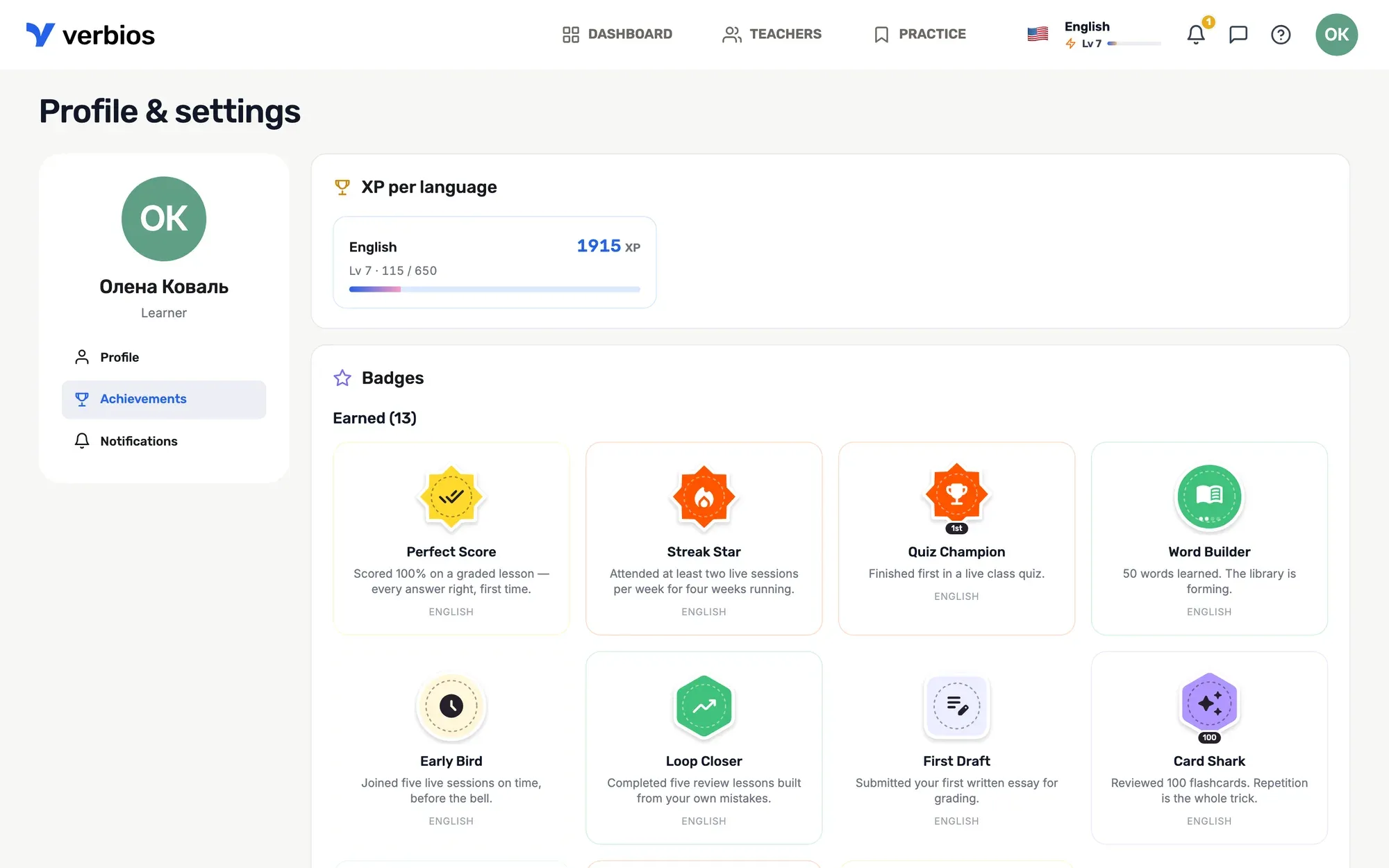
Each student has an Achievements page in the profile menu. It shows XP for each language they study and every badge they have earned so far, with a short description of what it was for. Clicking the language progress chip in the header shows the most recent badges and a link to the full page.
XP per language at the top, earned badges below.
For a teenager who keeps a streak in a language app, this is a familiar kind of screen. For a parent looking over a shoulder, it is proof that something is happening between lessons.
Badges that arrive on their own
Many badges are awarded automatically, so you do not have to track anything. The list includes a perfect score on a graded lesson, a first essay and ten graded essays, a live quiz win, five review lessons, a hundred flashcards, thirty active days, five on-time joins to live sessions, three courses started and five hundred mastered words.
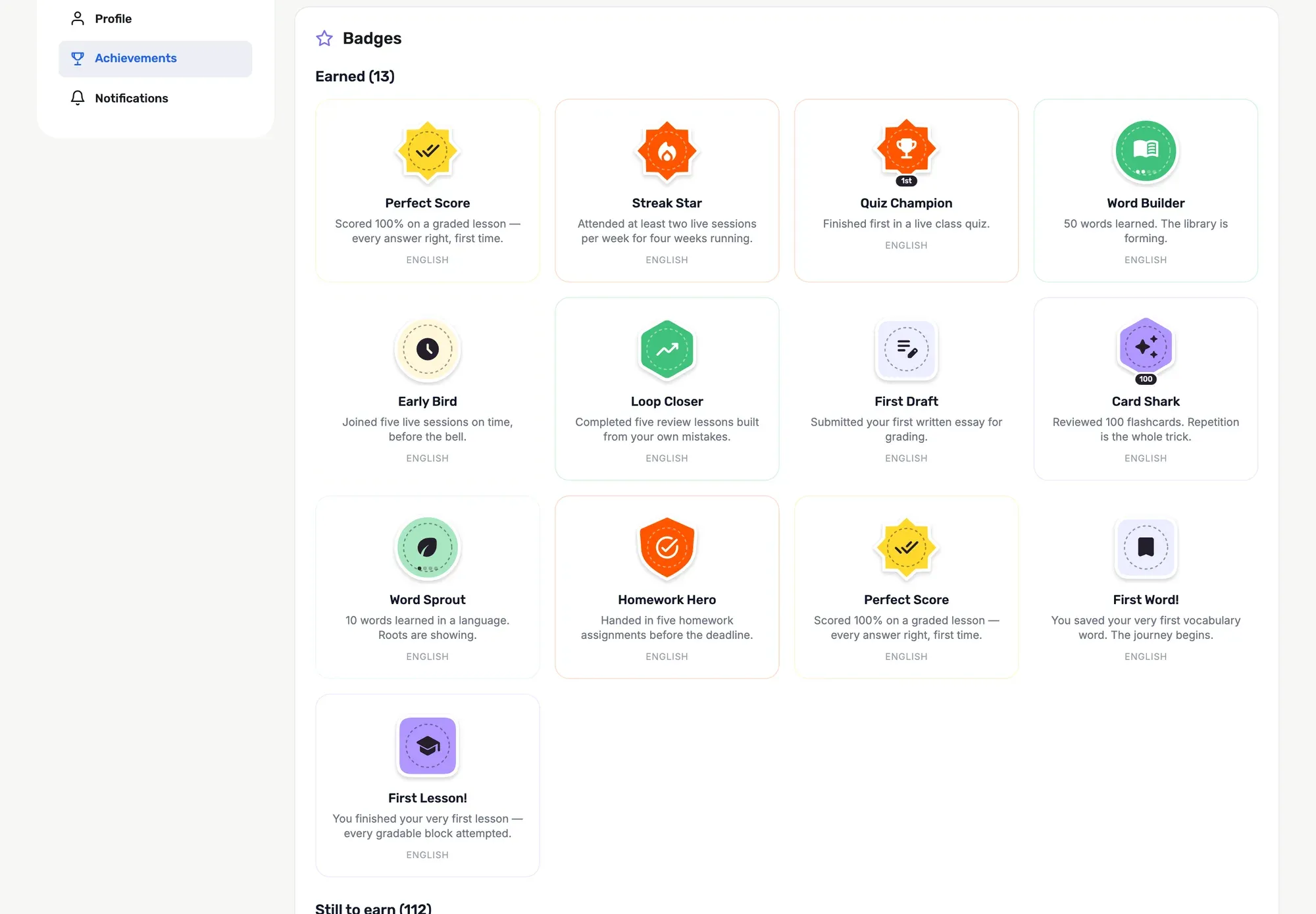 Each badge says what it was earned for.
A badge granted during a live session appears in front of the session panel for both teacher and student, so the moment is shared and not discovered later in a menu.
Your own awards
Automatic badges cover activity. They cannot tell a student that their answer today was the bravest in the room. For that, create custom awards under My awards and give them out whenever you want.
You can build an award from the badge art set: pick a shape, a color, an icon or a CEFR level, and an optional label, with a preview that updates as you go. Prefer your own artwork or a class mascot? Upload an image. Uploaded images support the same six shapes as the standard badges, with a centered crop and a white border, and the default is a rounded square.
A realistic week
A teacher with a group of eight 10-year-olds creates three awards at the start of the term: one for helping a classmate, one for the funniest correct sentence and one for finishing all homework in a month. During a live lesson she gives the first award right after a student explains a word to a shy neighbor, and the badge pops up on both screens. The student gets a small moment of attention without the lesson stopping. Over the month the automatic badges (word counts, streaks, on-time joins) fill in the rest, and the group starts comparing profiles before the lesson begins.
Because badges only count activity as a student, you cannot farm them by running your own courses, and the numbers stay honest.
Where this fits
Gamification works best next to something real to do. Pair it with live quizzes for groups, where quiz wins feed the Quiz Champion badge, and with homework auto-check so a perfect score is a meaningful result. When you are ready to try awards with your own students, start on the pricing page.
Frequently asked questions
Do teachers earn badges from their own lessons?
No. Badges are earned only for activity as a student, never from your own sessions or courses as a teacher.
Can I make an award with my own picture?
Yes. You can upload your own image and choose one of six shapes for it, or build a badge from the ready-made art set.