Student talk time in online lessons: measure it, then grow it
Every teacher knows the goal: the student should talk more than you do. In practice a lesson drifts. You explain a rule, ask a question, wait, answer it yourself, and at the end you feel that you did most of the talking, but you cannot say by how much. And when the student does talk, how much of it was English?
verbios now measures both. In a live lesson it tracks how long each participant speaks and in which language, then turns that into a report you can read in a minute. Student talk time and teacher talk time stop being a feeling and become numbers you can compare from one lesson to the next.
What the report shows
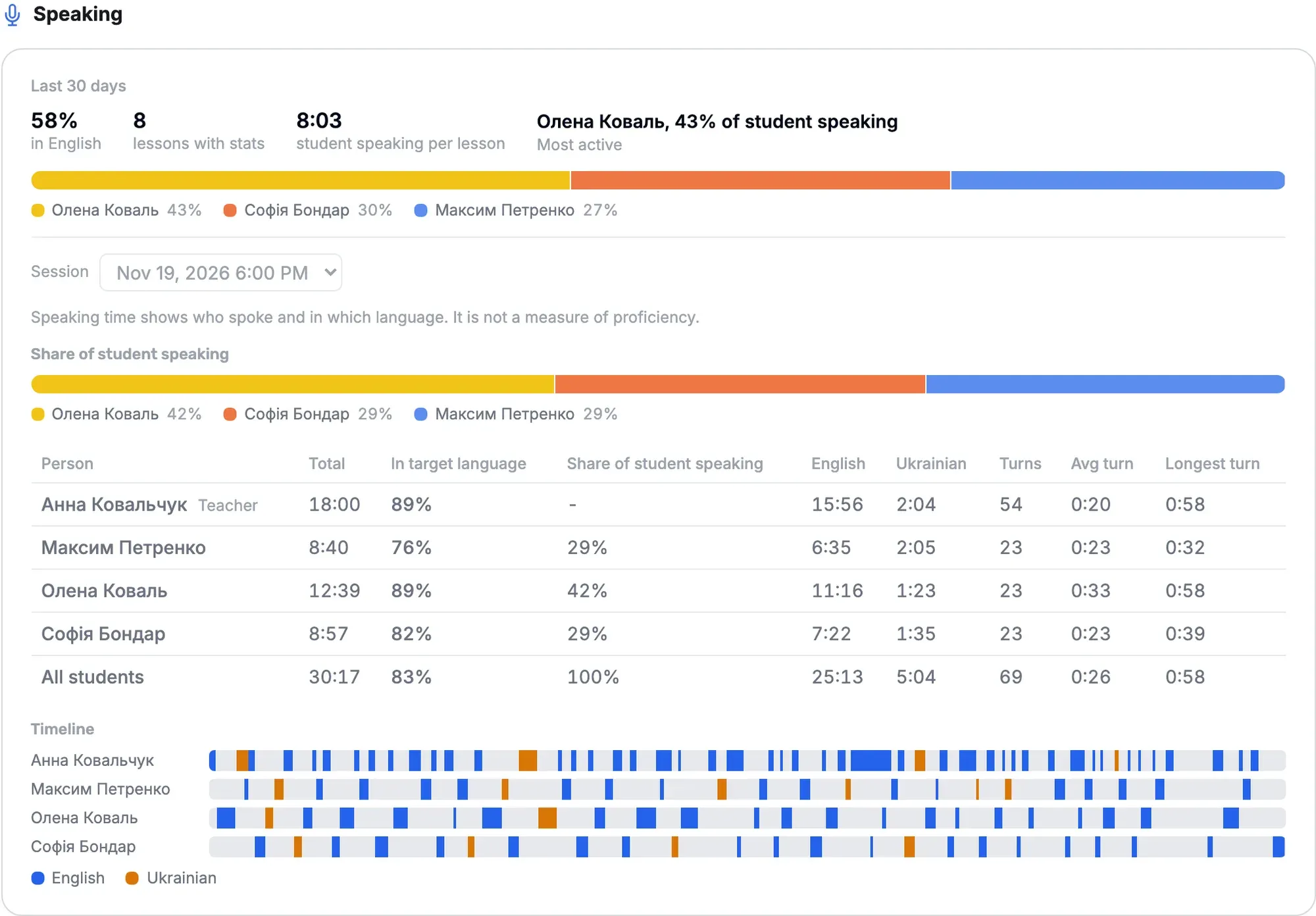
After a lesson, the report lists everyone who took part: you and each student. For each person you see the total speaking time, the share of that speech in the language you teach, the time in each language, the number of turns, and the average and longest turn. In a group lesson there is also a bar showing each student’s share of all student speaking, so quiet students and dominant ones are easy to spot.
The report for one group lesson: totals, the share in English and the timeline below
Below the table is a timeline, one row per person, drawn across the whole lesson. Blue is the language you teach, orange is the students’ own language. You can see at a glance that the first ten minutes were mostly you, that the pair work in the middle was in English, and that the last stretch slid back into Ukrainian.
The numbers describe who spoke and in which language. They are not a grade, and verbios does not present them as a measure of proficiency.
Watching it change over the weeks
A single lesson tells you little. The value is in the trend. On the Progress tab of a student or a group, a chart shows the share of speaking time in the target language for every lesson with stats, with a summary of the last 30 days underneath.
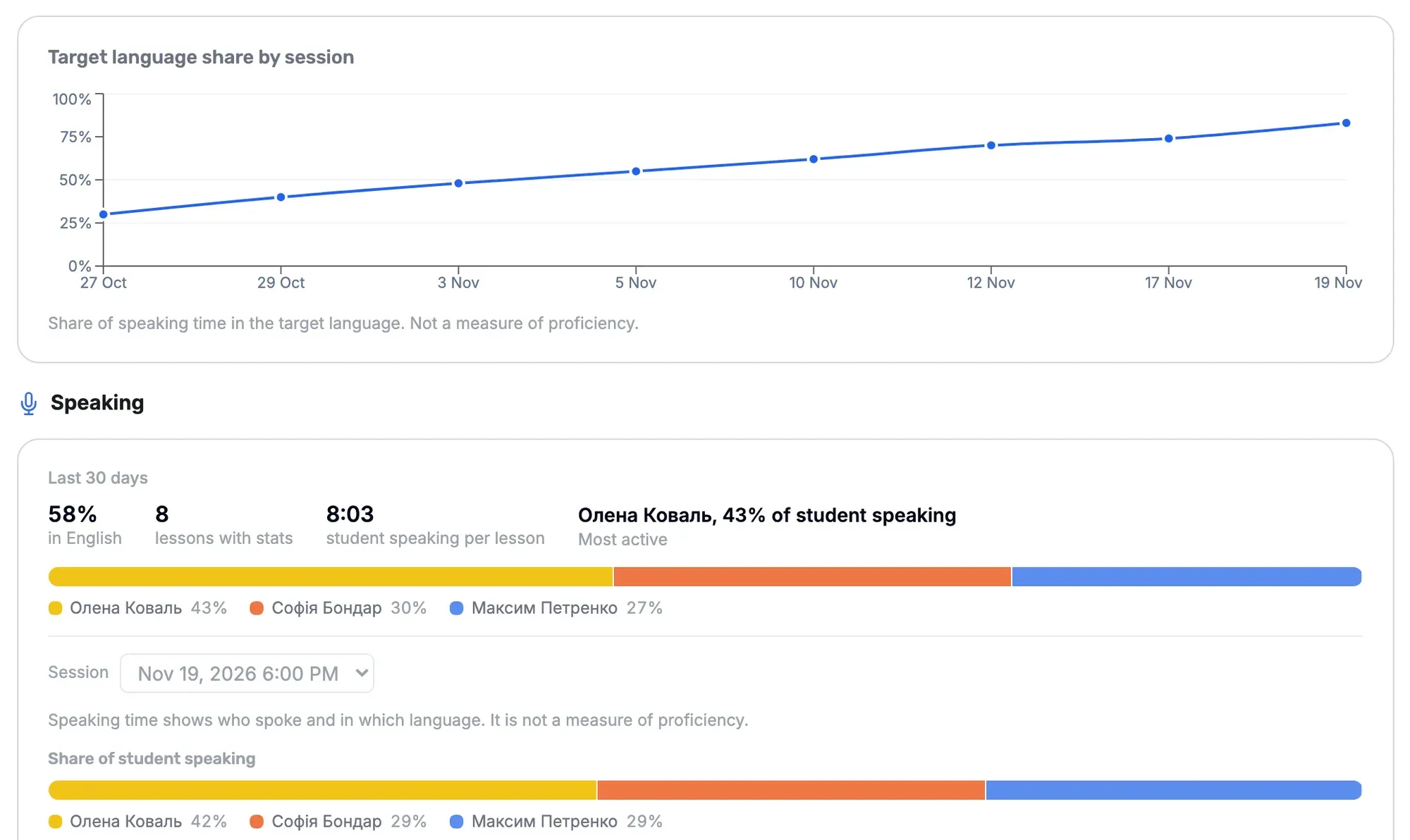 The Progress tab of a group: the English share by lesson, rising across eight lessons
In the sample group above, the English share of student speech goes from about 30% in the first lesson to 83% in the eighth. Teacher talk time falls over the same weeks. That is the picture you want, and one you could not see before without timing lessons by hand.
If a group’s line goes flat, that is a useful signal too. It tells you the warm-up routine is not working, or that the group needs a different kind of speaking task. Our post on speaking practice ideas has some to try, and keeping students engaged online covers the rest of the lesson.
The Insights view for your whole roster
When you teach many students, open Insights and choose Speaking. It lists every student and group with the number of lessons, speaking time per lesson, the average and the latest target-language share, and a small trend line. Click a row to see its full trend and the latest report.
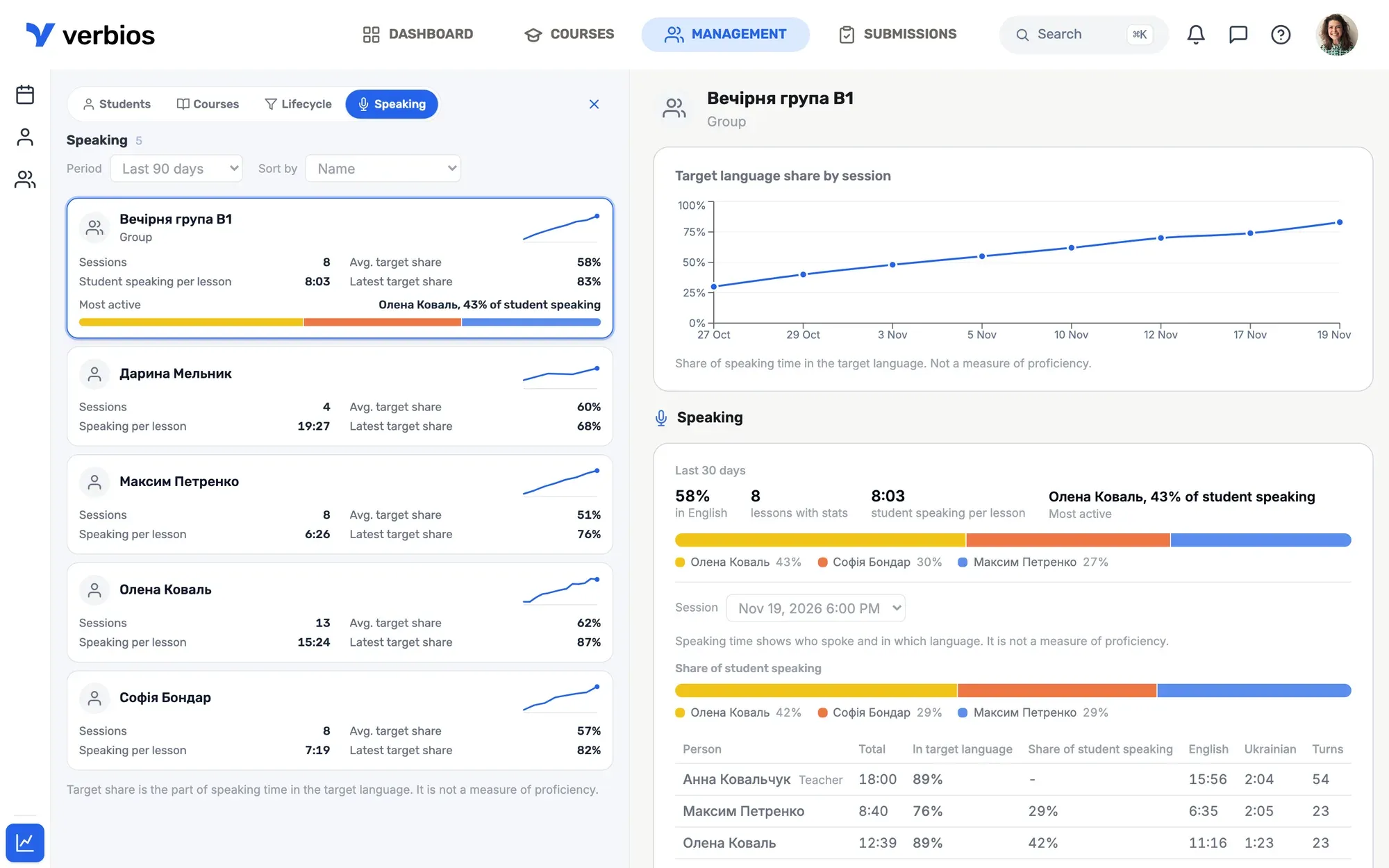 Insights, Speaking: the whole roster in one list, with trends
It works well as a Sunday review: who is moving toward English, and who has stayed at the same level for a month?
Turning it on
Speaking stats are off until you switch them on. Go to Profile, Features and turn on Speech analytics (in a school, an administrator does this under Management, School, Features). Then, in a live lesson, open the Tools tab of the live session panel and switch on Speaking stats. The choice is remembered for that student or group, so the next lesson starts measuring without another click.
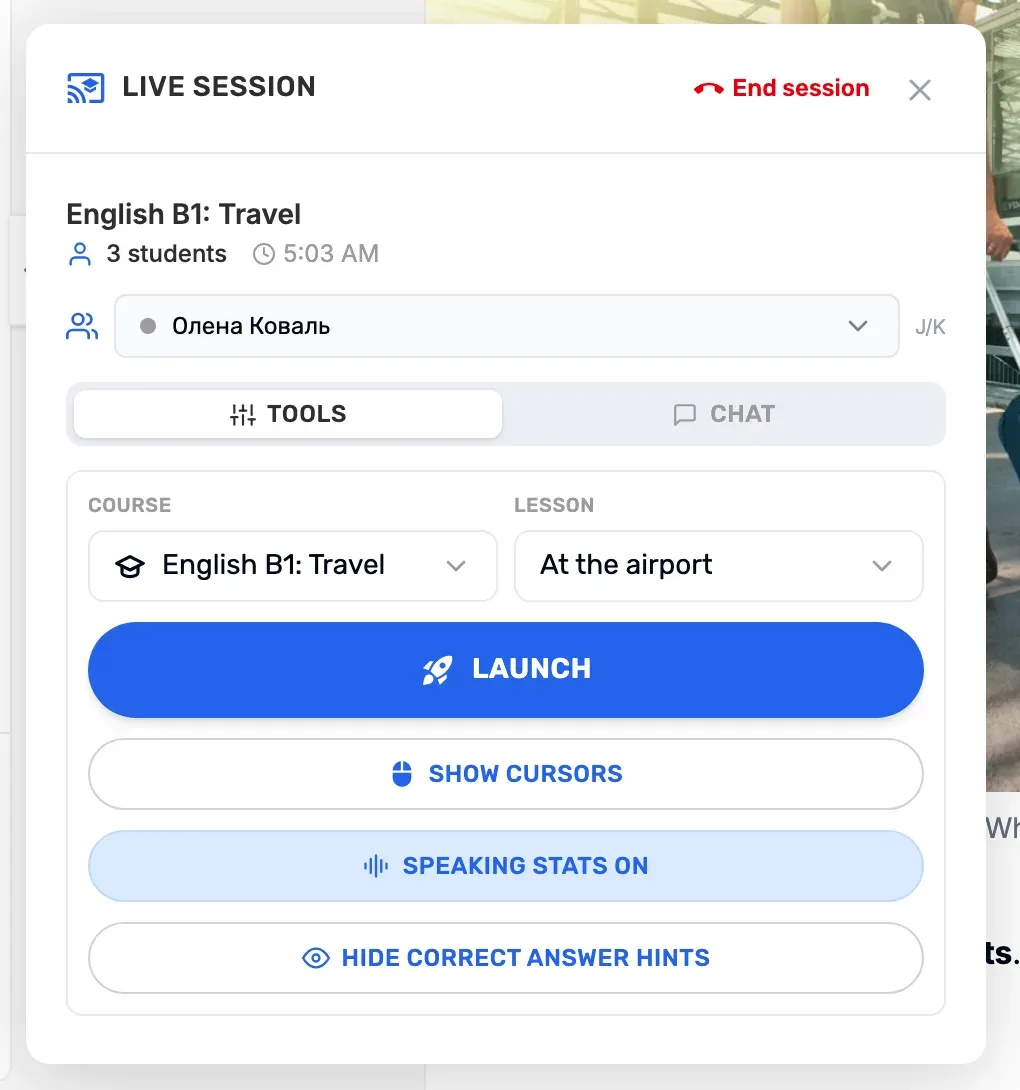 The Speaking stats switch in the live lesson Tools tab
Independent teachers need the Pro plan. In a school, an administrator switches the feature on for the school and no personal plan is needed.
Privacy, stated plainly
Speaking stats are opt-in at every level. They are off by default. Everyone is asked once before their own speech is measured, whether that is you or a student. Anyone can pause at any time, and anyone can stop sharing in their profile. Muting in Zoom or Meet does not pause it, so use the pause button next to the live lesson icon.
Audio is analyzed on each person’s own device. verbios stores only timings and language shares: who spoke when, for how long, and the share of each language. It never stores audio, and it never stores words. A student who has not agreed simply appears in the report as not shared, and the others are measured as usual.
A Thursday group, week by week
Take an evening B1 group that you have taught for a month. In the first lesson with stats you see that you spoke for most of the hour and that one student produced almost half of what the students said, mostly in Ukrainian. You change two habits: you ask the quietest student first, and you give pairs two minutes before the whole group answers.
Two weeks later the report shows the shares of student speaking evening out, and the English share climbing. Your own talk time is down. The change was small, and now you have proof that it worked, which is a better basis for the next decision than a feeling.
Try it
If you teach live and want to know how much your students really speak, switch on Speech analytics and run the next lesson with it. See pricing for the Pro plan.
Frequently asked questions
Does verbios record my lessons?
No. Audio is analyzed on each person's own device and is never recorded or sent anywhere. Only timings and language shares are stored, never audio or words.
Which plan do I need for speaking stats?
Independent teachers need the Pro plan. In a school, an administrator turns the feature on for everyone in the school. It is off until someone switches it on.
Do students have to agree?
Yes. Everyone is asked once before their own speech is measured, can pause at any time, and can stop sharing in their profile.