How to Keep Students Engaged in Online Lessons
In a classroom you can see attention: heads, eyes, a pencil that has stopped. Online you see a face in a small square, or a black rectangle. The student may be listening, or reading messages on another screen. The answer to “how do I keep them engaged” is that you cannot rely on watching them. You have to design the lesson so that being absent is hard, because something is asked of the student every couple of minutes.
Student talk time against teacher talk time
Teacher talk time (TTT) is the share of the lesson in which you are speaking. Student talk time (STT) is the rest. In language lessons STT is where learning happens, because producing language, with its small failures and repairs, is the practice. Explanations are necessary, but a long explanation is rarely what the student needed.
Try this for one week: record a lesson (with permission) and watch the clock. Mark every stretch where you speak for more than 30 seconds without a question. Most teachers find they explain, then repeat the explanation in other words, then ask “does that make sense?”, which gets a nod. Compare that with this alternative:
- Explain in under a minute.
- Give an example sentence.
- Ask the student to make one of their own, and wait.
The waiting is the hard part. Count to five in your head before rescuing the student. Silence of three or four seconds is thinking, not failure.
Useful teacher phrases that move the talking to the student:
- “Say it in your own words.”
- “What would you say if it were your friend?”
- “Give me an example from your work.”
- “Try it, and I’ll tell you after.”
Change the activity every 7 to 10 minutes
Attention on a screen runs out sooner than in a room. Change something every 7 to 10 minutes with adults and every 5 to 7 with young children. What counts as a change is wide: a different skill (from listening to speaking), a different format (reading, then a quick game), a different person acting (the student leads the next question), or a different pace (a slow discussion, then a 60-second race).
A 45-minute lesson could look like this at B1:
| Minutes | What happens |
|---|---|
| 0–5 | Warm-up question about the student’s day, no materials |
| 5–15 | Short listening or reading with two gist questions, then detail |
| 15–25 | Target language: you model, the student produces sentences |
| 25–35 | Speaking task that uses the target language (role-play, decision, story) |
| 35–42 | Quick game or quiz as a check, five to eight items |
| 42–45 | The student summarizes what they learned, you set the next step |
Notice that no stretch is longer than ten minutes, and that the student is the main actor in at least four of the six blocks.
Make every student act, not just watch
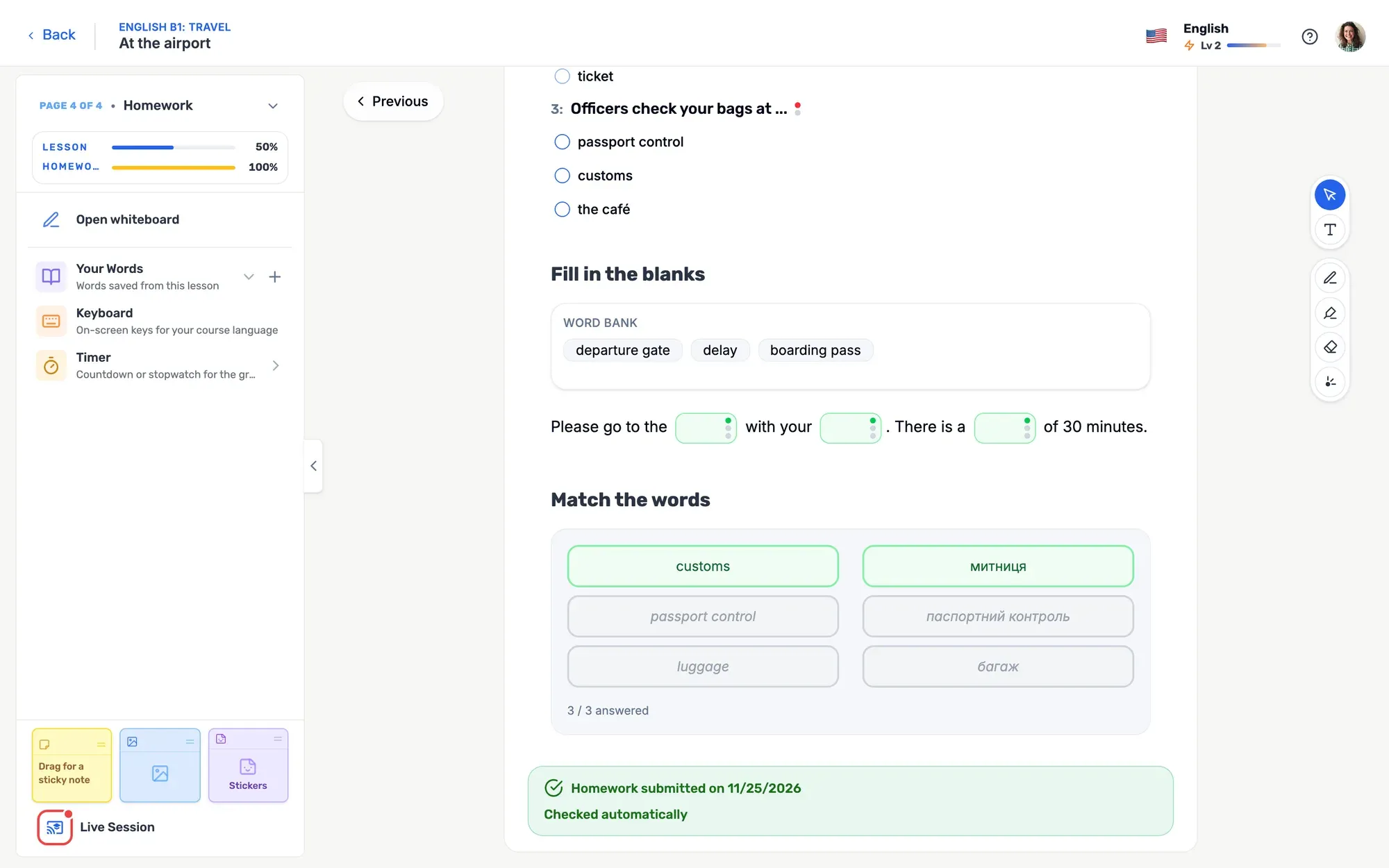
The worst online lesson is one where the teacher shares a screen with an exercise and the student reads answers aloud. The student is a spectator. Compare two ways to run the same fill-in-the-blank exercise on “used to”:
- You show it, ask the student to read each sentence and choose a word.
- The student gets the page, fills the blanks alone for two minutes while you watch, and then you discuss the ones they hesitated on.
In the second version the student does the work, and you do the teaching: you see where they hesitated and talk about exactly that.
Other ways to make students act:
- Type, don’t tell. Ask the student to type an answer in the chat or on the page before they speak it. Typing commits them.
- Predict first. Before reading a text, ask the student to guess three words they will find in it. Before a listening, ask what the speaker will say.
- Student as teacher. After you teach a rule, the student writes two sentences for you to correct. Reversing the roles wakes people up.
- Mistakes on purpose. Say a sentence with a deliberate error and ask them to catch it.
- Choose with a body. Ask “A, B or C?” and have the student show the letter with fingers. For young children it is a good way to find out who has not listened.
For more on grouping tactics, see teaching online groups.
Pointing and attention cues
In a room you point at a sentence on the board and every head turns. On a screen the student has no idea where you are looking. A lot of “I got lost” moments are really “I didn’t know which line you meant.”
Three habits solve most of it:
- Name the location before you speak: “Look at the second paragraph, the third line.”
- Use a pointer or highlight, not your voice, when you move from one item to another.
- Ask the student to point back: “Show me the word you don’t know.”
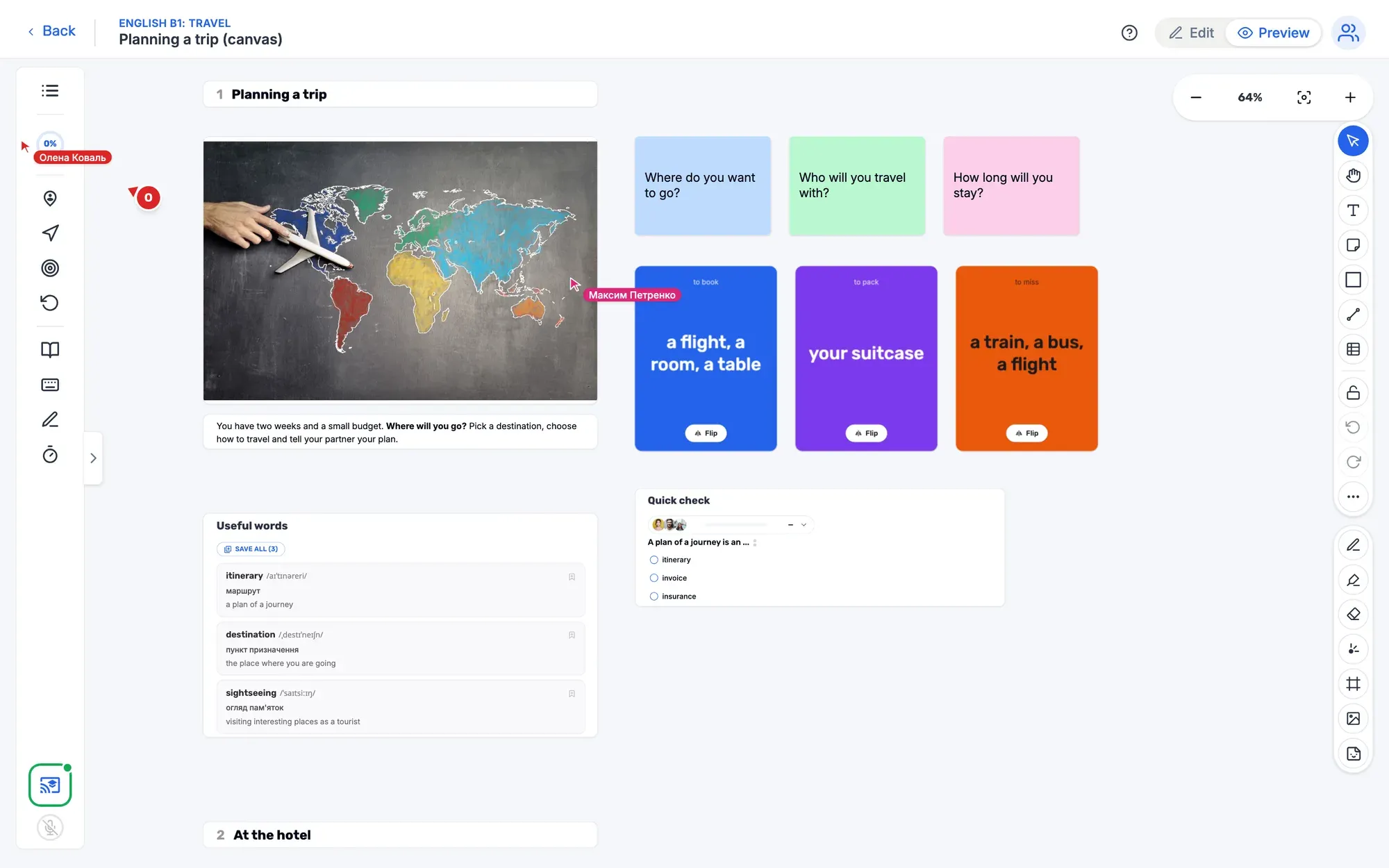
On verbios, in a live lesson, you and the student see each other’s cursors and presence on the same page in real time, so “this word here” actually works, and the student can show you where they are stuck instead of describing it. The details are in the live cursors post.
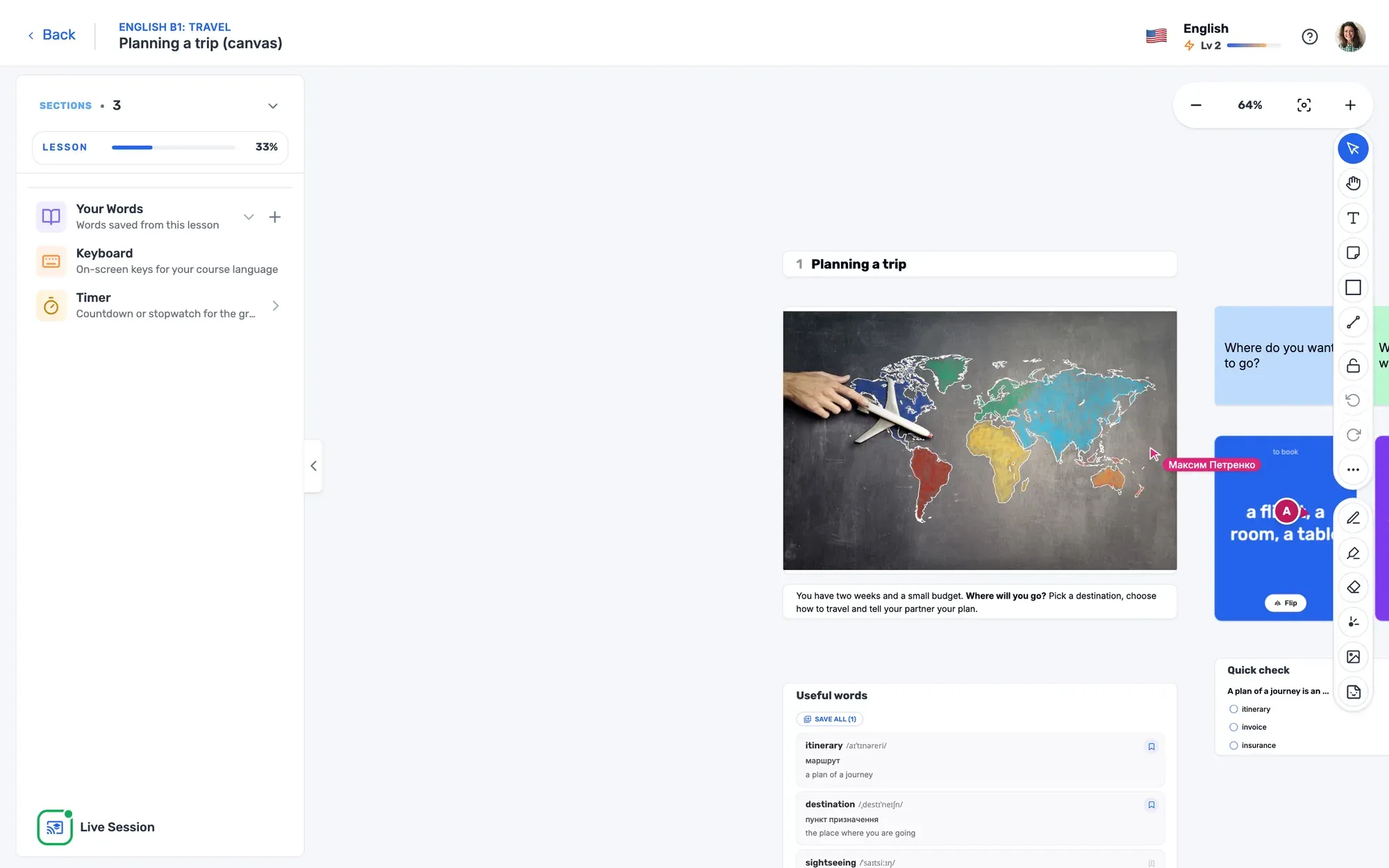 Both sides see where the other is pointing
A realistic 10 minutes
Suppose you teach a 14-year-old at A2 who has switched off after minute 20. Instead of pushing through the slide, try this reset. Say “New game.” Show five flip cards with words from today. The student has 60 seconds to make a true sentence about their own life with as many as possible. You do the same, and make a deliberately silly one, which makes them laugh. Then ask them to choose the sentence they like best and say why. In ten minutes, you have changed the pace, the skill, the person acting and the mood. Nothing was prepared beyond five cards.
Common mistakes
- Waiting for energy to appear. Energy comes from tasks, not from your enthusiasm. A teacher smiling at a passive student is still teaching a passive student.
- Asking “Do you understand?” The answer is always yes. Ask them to show it: “Make a sentence with that.”
- Long lectures on grammar. Aim for the smallest explanation that lets them try.
- Never changing the format. Three exercises of the same kind in a row feel like one long task.
If you want to check what students know without it feeling like a test, a short quiz at a natural break works well, and live quizzes for groups describes how to run one. Start from how to plan a lesson fast if you build your timing from scratch each time. The live tools mentioned here start on the Starter plan, which has a 7-day free trial (see pricing).
Frequently asked questions
How often should I change the activity in an online lesson?
Every 7 to 10 minutes for adults and every 5 to 7 for young children. Each time, change something: who is acting, the skill, the format or the pace.
How much should the teacher talk in an online lesson?
Aim for the student to speak more than you do. Teachers usually talk more than they think. Record one lesson and time yourself.
What do I do when a student switches the camera off?
Do not argue about the camera. Give a task that needs an answer in the next 30 seconds and does not depend on being seen: type the word, point to the sentence on the page, vote in a quiz. Engagement is visible in actions, not in a face on screen.