Live online lessons with real-time cursors for tutors
Most of online teaching is talking to a screen and hoping the student is looking at the same thing you are. You say “look at the second sentence”, and a long pause follows. Is the student reading, lost, or did the sound cut out?
In a live lesson in verbios, teachers and students see each other’s cursors and presence on the page in real time. The lesson page stops being a document you each look at separately and becomes one shared surface.
Named cursors on the lesson page
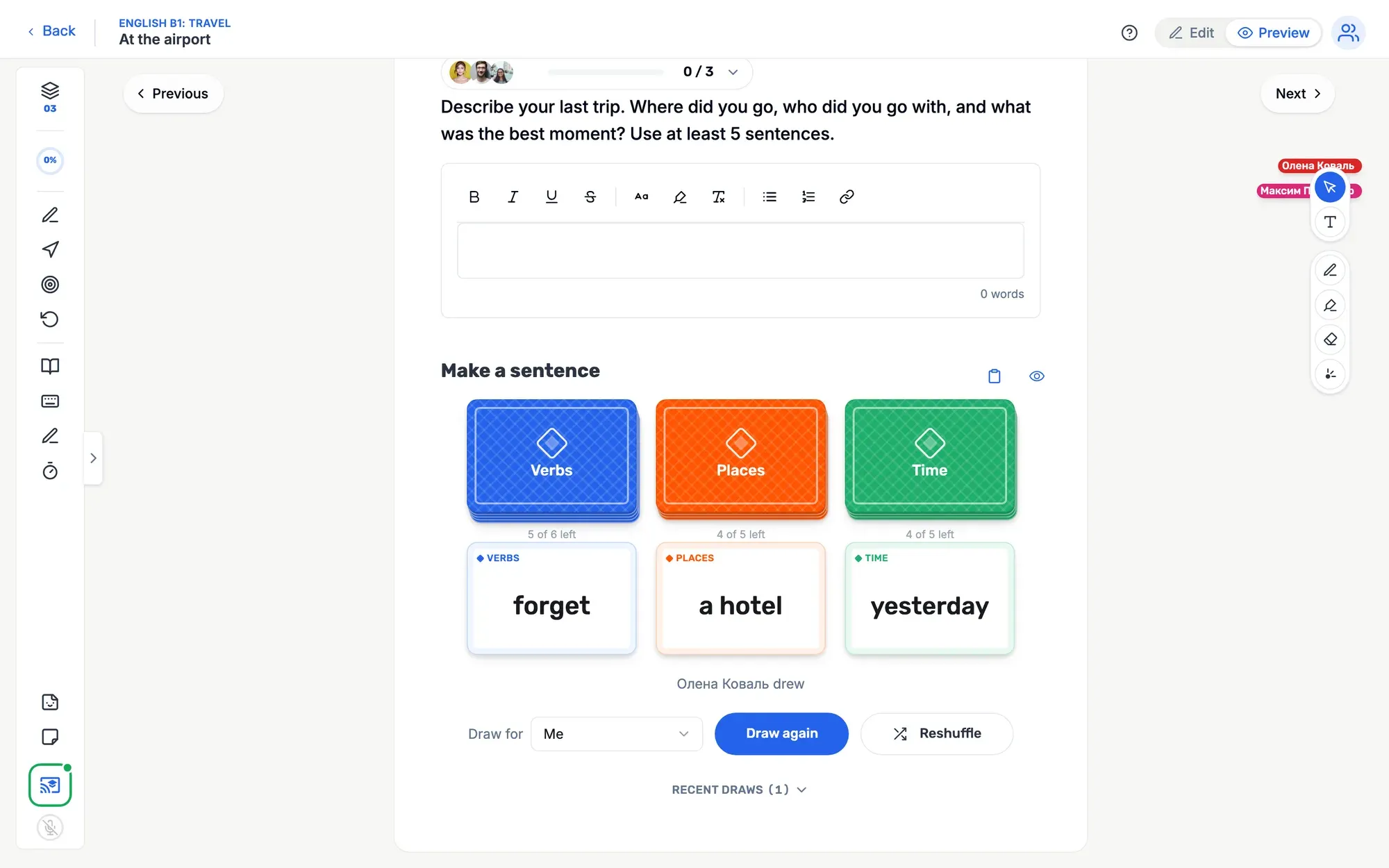
When a live lesson is running, every participant appears on the page as a colored cursor with their name on it. On the teacher’s screen you see where each student is pointing and moving. On a student’s screen they see the teacher’s cursor and a classmate’s cursor.
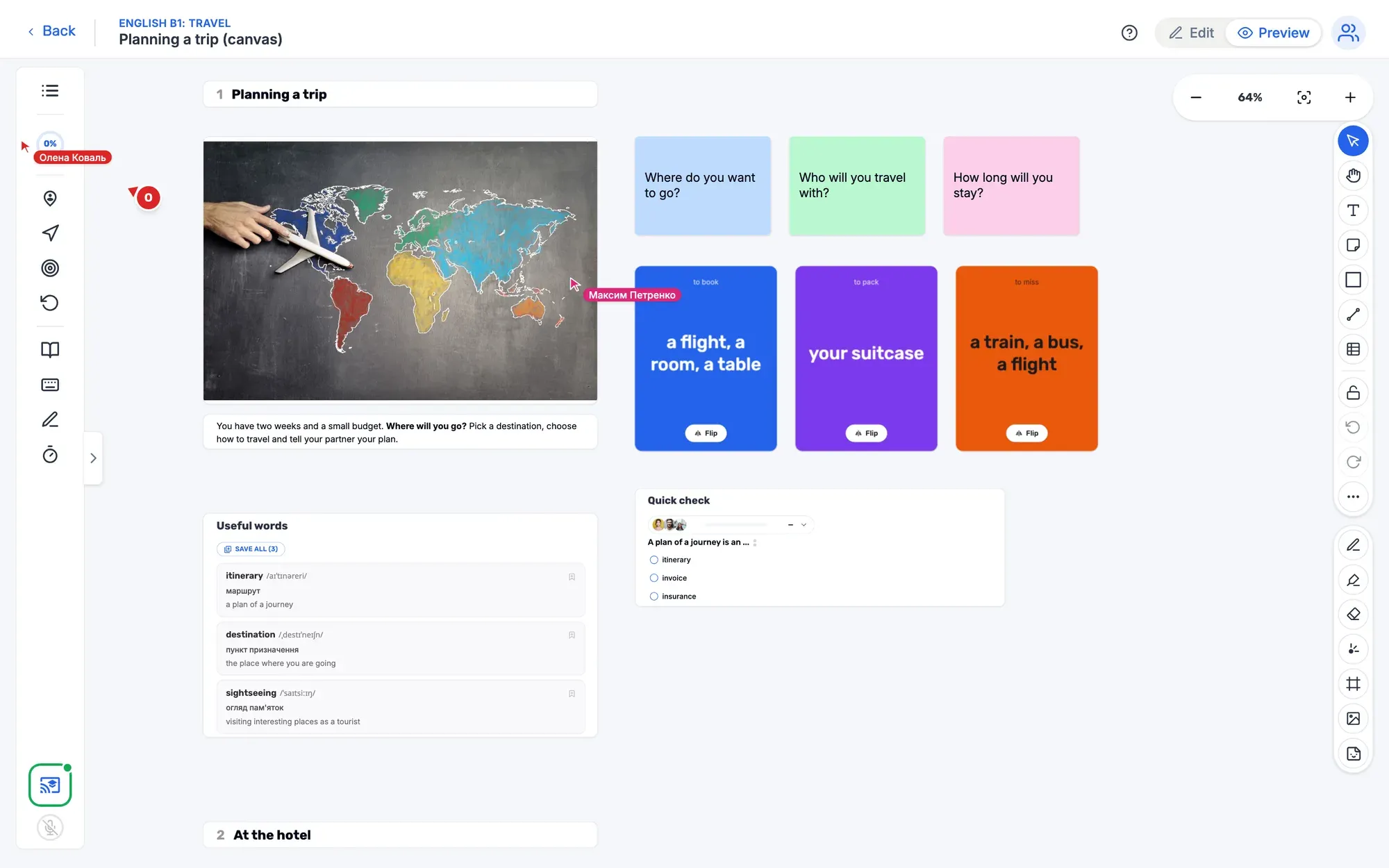
Two students' cursors over a canvas lesson: a map, sticky notes with questions and flip cards.
This works on structured lesson pages and on canvas lessons alike. On a canvas, where a map, sticky notes and flip cards sit side by side, cursors make a real difference: you can watch which card a student goes to first without asking.
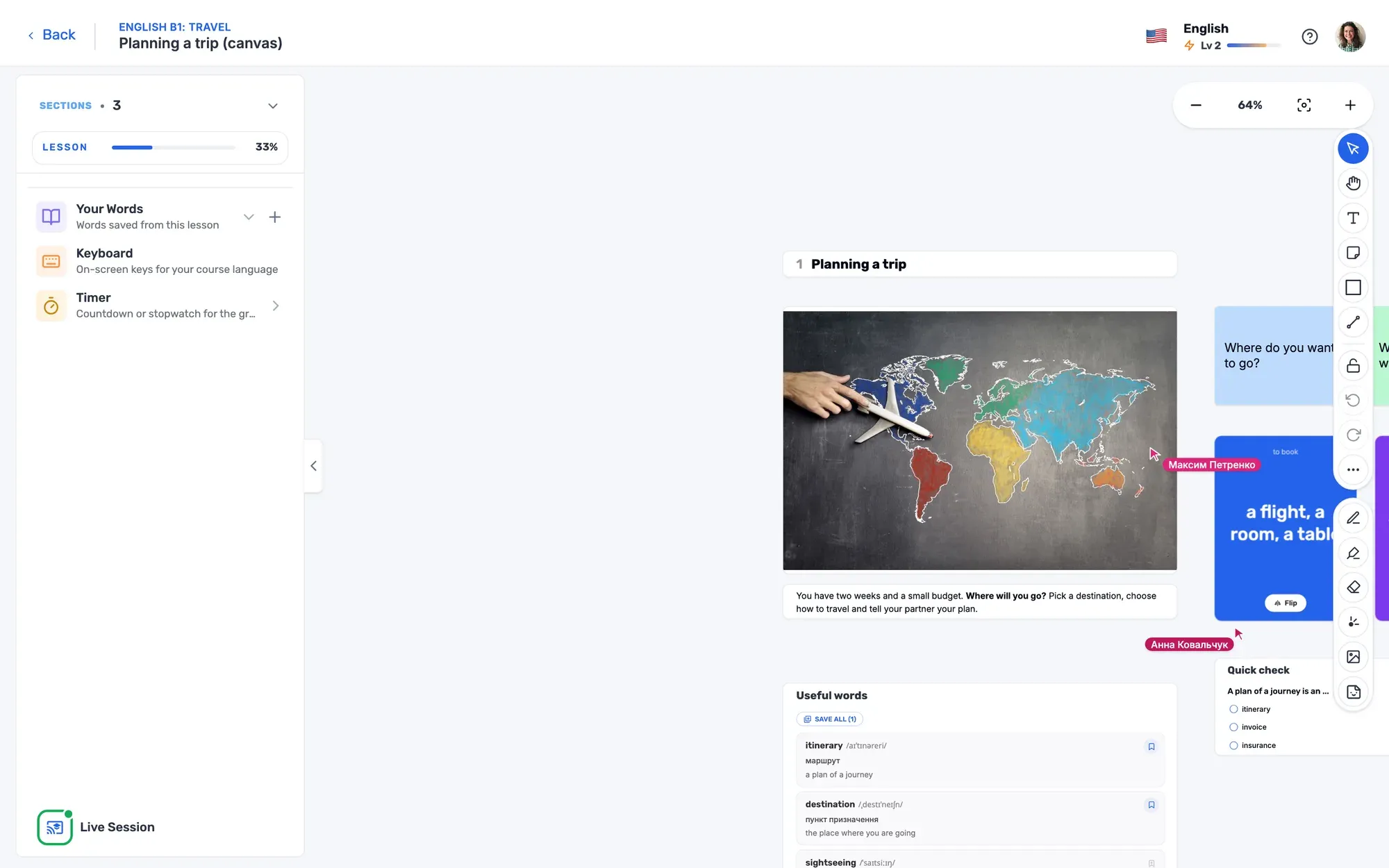 The student's side: the teacher's cursor and a classmate's cursor are visible on the page.
Point at something without answering for the student
Pointing has an old problem. In a lesson full of exercises, a click is not just a click. If you or the student click near a quiz option to say “this one”, the answer is submitted.
Hold Ctrl and click (or long-press on a touchscreen) and verbios shows a pulse at that spot instead. It draws attention to the place on the screen and does not answer anything.
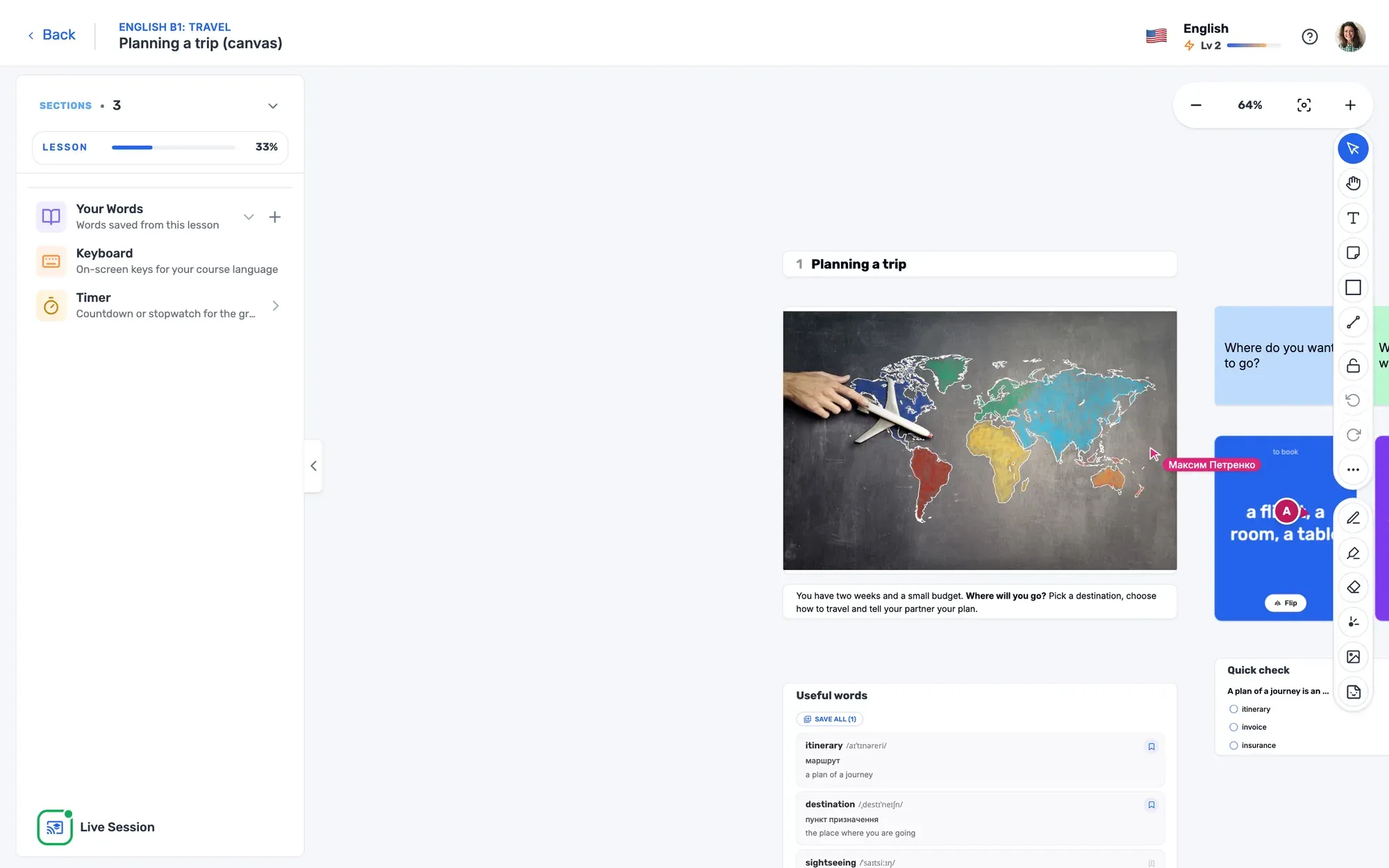 A pulse marks a spot on the page; no exercise gets an answer.
Students can do it too. A child who wants to say “I don’t understand this word” can pulse it instead of typing a message.
The lesson survives a bad connection
Group lessons are where connections break: a busy moment, a weak phone signal, a laptop that went to sleep. Earlier, a dropped live connection could leave someone without positions, live answers and the online dot until they reloaded.
Now the lesson reconnects by itself within a few seconds and restores presence. Everyone stays in the session, and the teacher does not have to say “refresh the page” to a nine-year-old.
A scenario: a vocabulary round with a group of four
You open a canvas lesson with flip cards for travel verbs. You ask the group to find the card that goes with “your suitcase”. You watch four named cursors move across the board. One cursor hovers over the wrong card, so you Ctrl+click on the right one and the pulse tells everyone where to look. A student’s connection drops for a moment, comes back, and her cursor reappears on its own. You never stopped the lesson.
If you want ideas for keeping a group active beyond cursors, see our guide on teaching online groups and the one on keeping students engaged online. For drawing and handwriting during the lesson, read about the online whiteboard.
Live lessons with your own students are part of the Starter and Pro plans, and Starter has a 7-day trial: see pricing.
Frequently asked questions
Do students need to install anything to see the cursors?
No. Everyone opens the lesson in the browser or in the verbios app, and the cursors and presence appear on the lesson page during a live lesson.
What happens if a student's connection drops in the middle of a lesson?
The live session reconnects on its own within a few seconds and restores presence, so nobody has to reload the page.