Card decks: random words for speaking practice online
Ask a student to “say something about your weekend” and you often get one flat sentence. Give them three random cards, say “book”, “the airport” and “yesterday”, and they have a puzzle to solve out loud. That is the idea behind the Card decks activity, a set of speaking cards online that you can drop into any lesson.
How the draw works
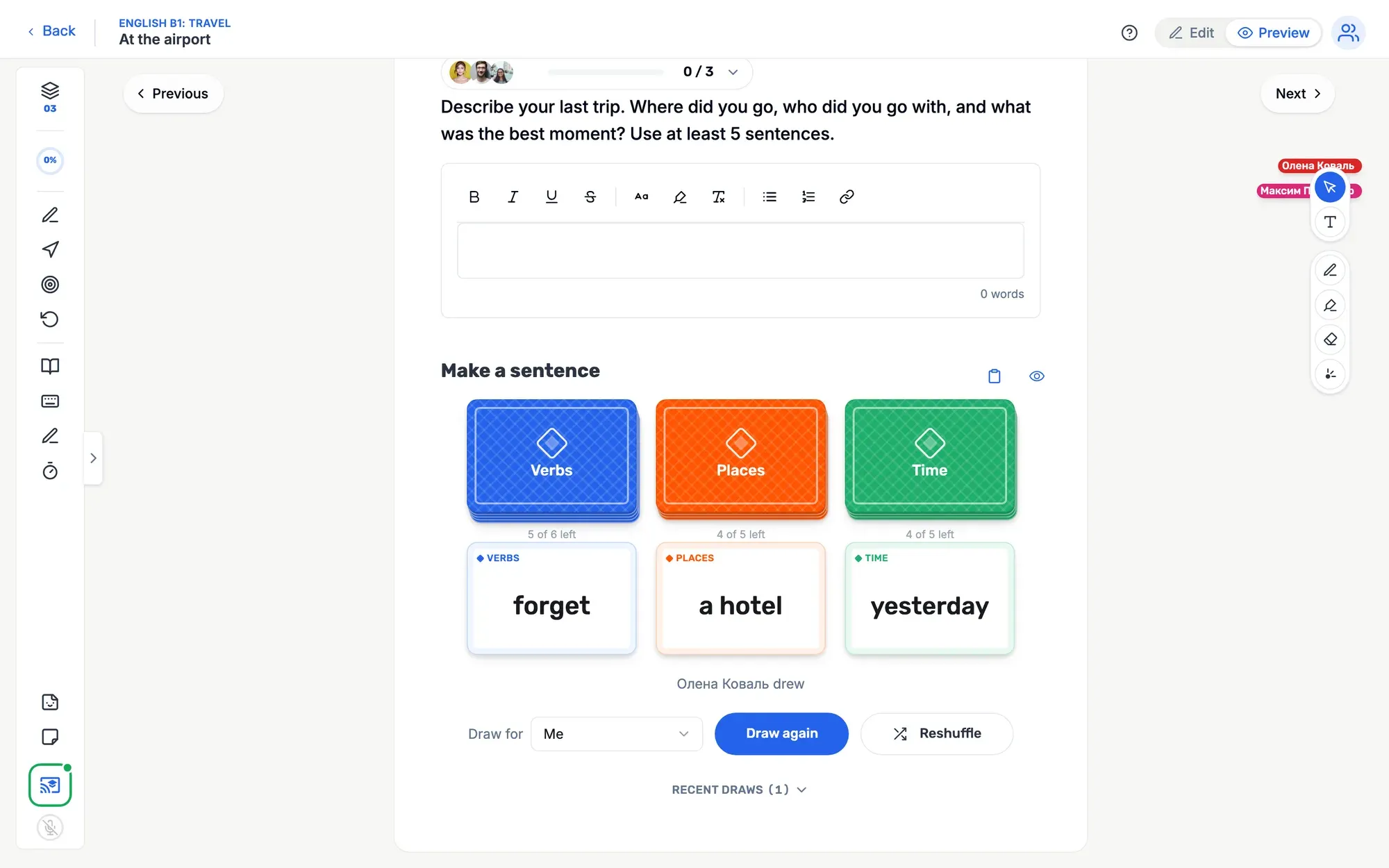
The activity sits next to Spin the Wheel. You add up to four decks, for example verbs, places and times, with one word or phrase per line. The student presses Draw, and one card comes off each deck and turns over, as a prompt to build a sentence from. Cards do not repeat until a deck runs out, and the deck shows how many are left, like “4 of 6 left”.
Three decks, three dealt cards: build one sentence from all of them.
In a group lesson
In group lessons everyone sees the same draw, with the name of the student who drew it. The teacher can also draw for a student, which helps with someone who is shy about pressing the button. Another student can then press Draw again for the next round, and a list of recent draws keeps track of what was already played.
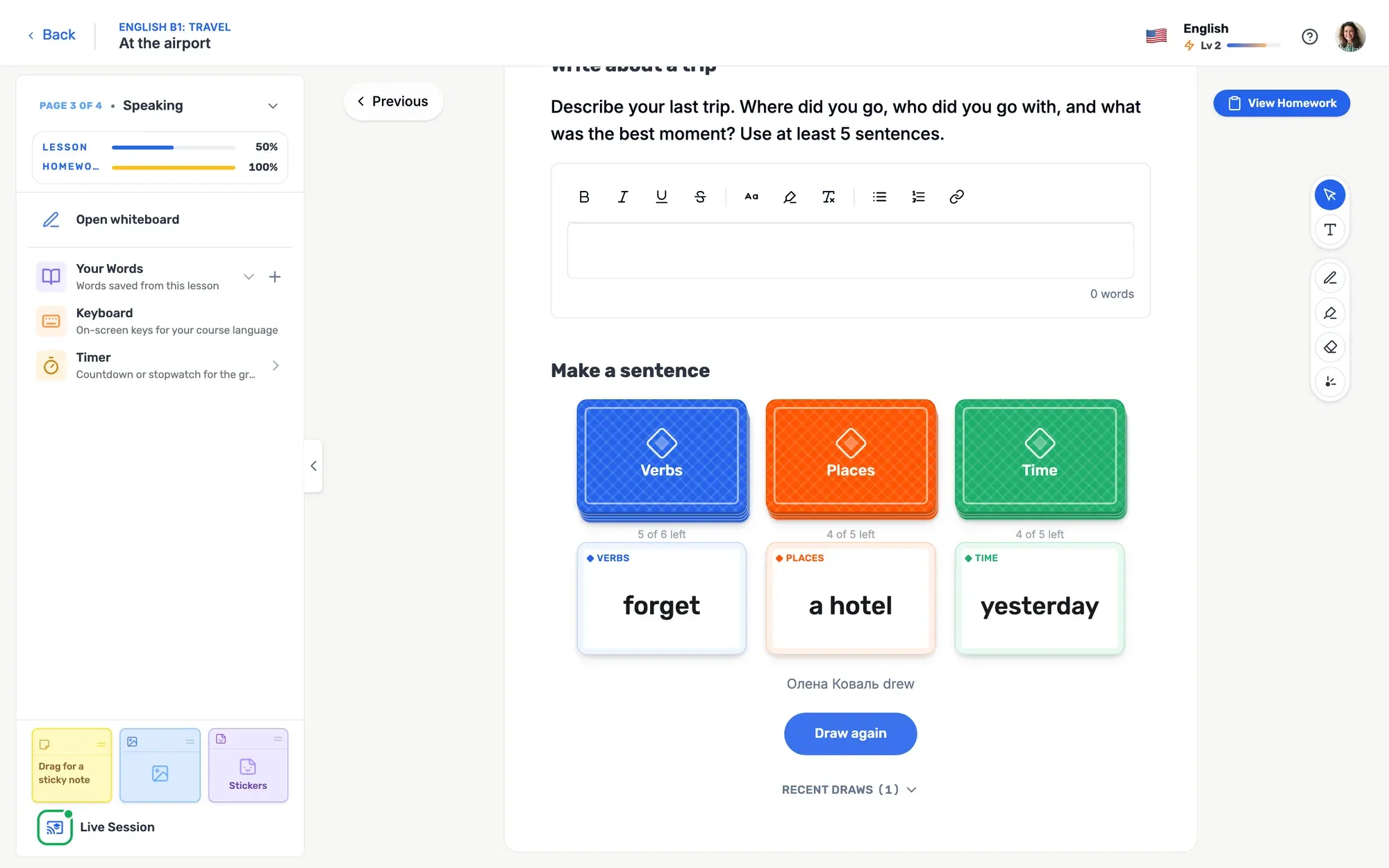 Students see who drew and can press Draw again.
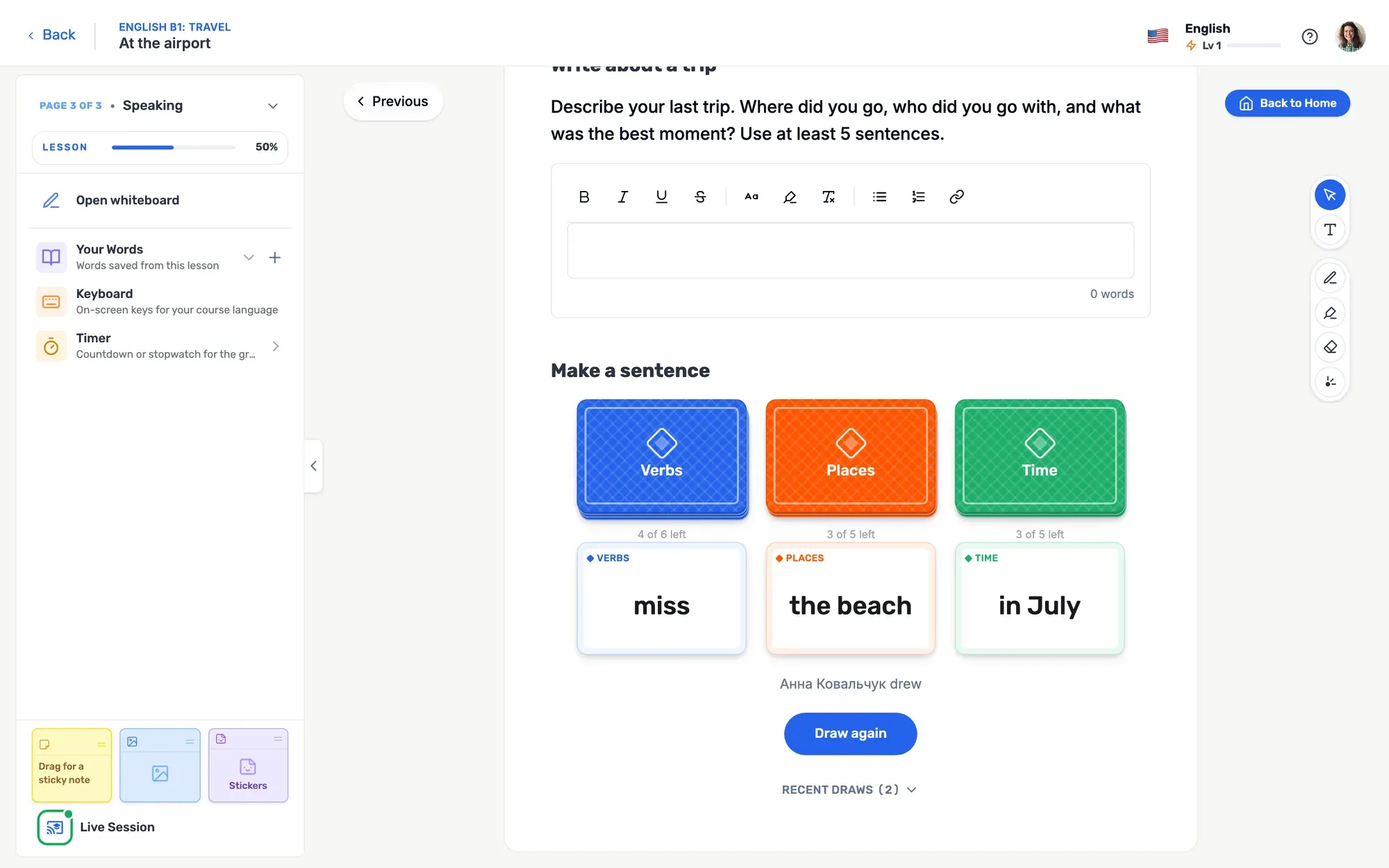 The counter shows what is left in each deck, and recent draws stay one click away.
Fill the decks with AI
Typing forty words is slow. Card decks have the same Generate from AI button as other activities. Copy the prompt, add your topic, paste it into ChatGPT, Claude or any other AI, then paste the reply back. Each deck starts with its name in square brackets, like [Verbs], followed by one card per line, and up to four decks are filled in at once.
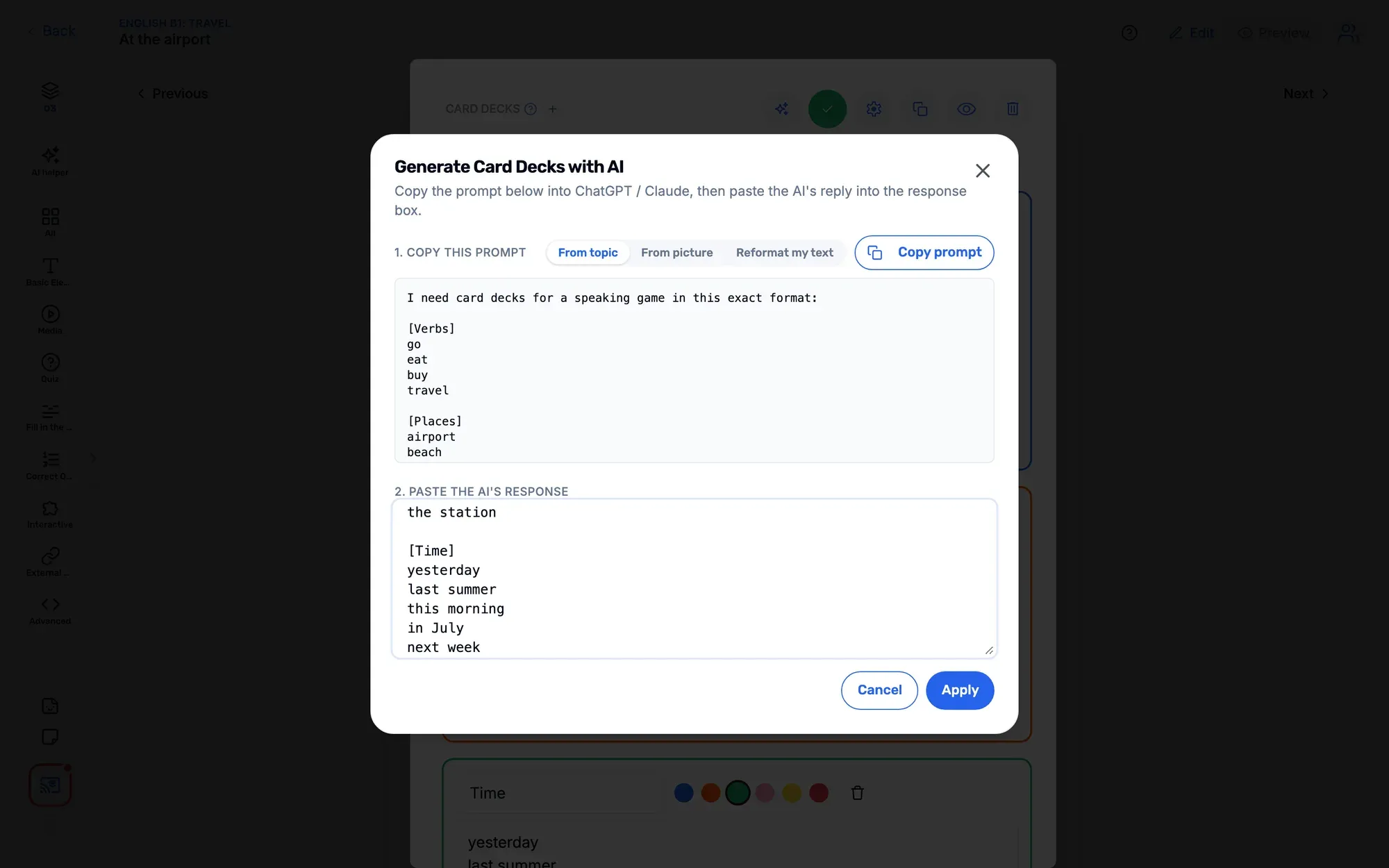 The Generate from AI window: copy the prompt, paste the reply and press Apply.
A scenario: a B1 group on Thursday evening
You have six students and ten minutes left. You set up Verbs, Places and Time, and the first student draws “book”, “the airport”, “yesterday”. She says that she booked a taxi to the airport yesterday. The next student presses Draw again and gets “forget”, “the station” and “this morning”. Everyone sees each draw, so the others can correct or add a detail. The same activity can go into homework, where a student draws cards on their phone and records or writes a few sentences.
For more ways to get students talking, see the guide with speaking practice ideas and the one on teaching online groups. For whole-group games, there is also live quiz for groups.
Try it on a plan from the pricing page.
Frequently asked questions
How many decks can one activity have?
Up to four decks, each with one word or phrase per line.
Do cards repeat?
Not until a deck runs out.
Can I use it in homework?
Yes. Card decks work in homework and on the phone as well as in live group lessons.