A learner's dictionary inside the lesson: tap a word, save it
A student reads a text, hits an unknown word, and does the thing every teacher knows: opens a translator in another tab. Two minutes later they have a translation of the wrong meaning and have forgotten the sentence they were reading.
In verbios the dictionary lives inside the lesson, so the student never has to leave it.
Highlight a word, see everything at once
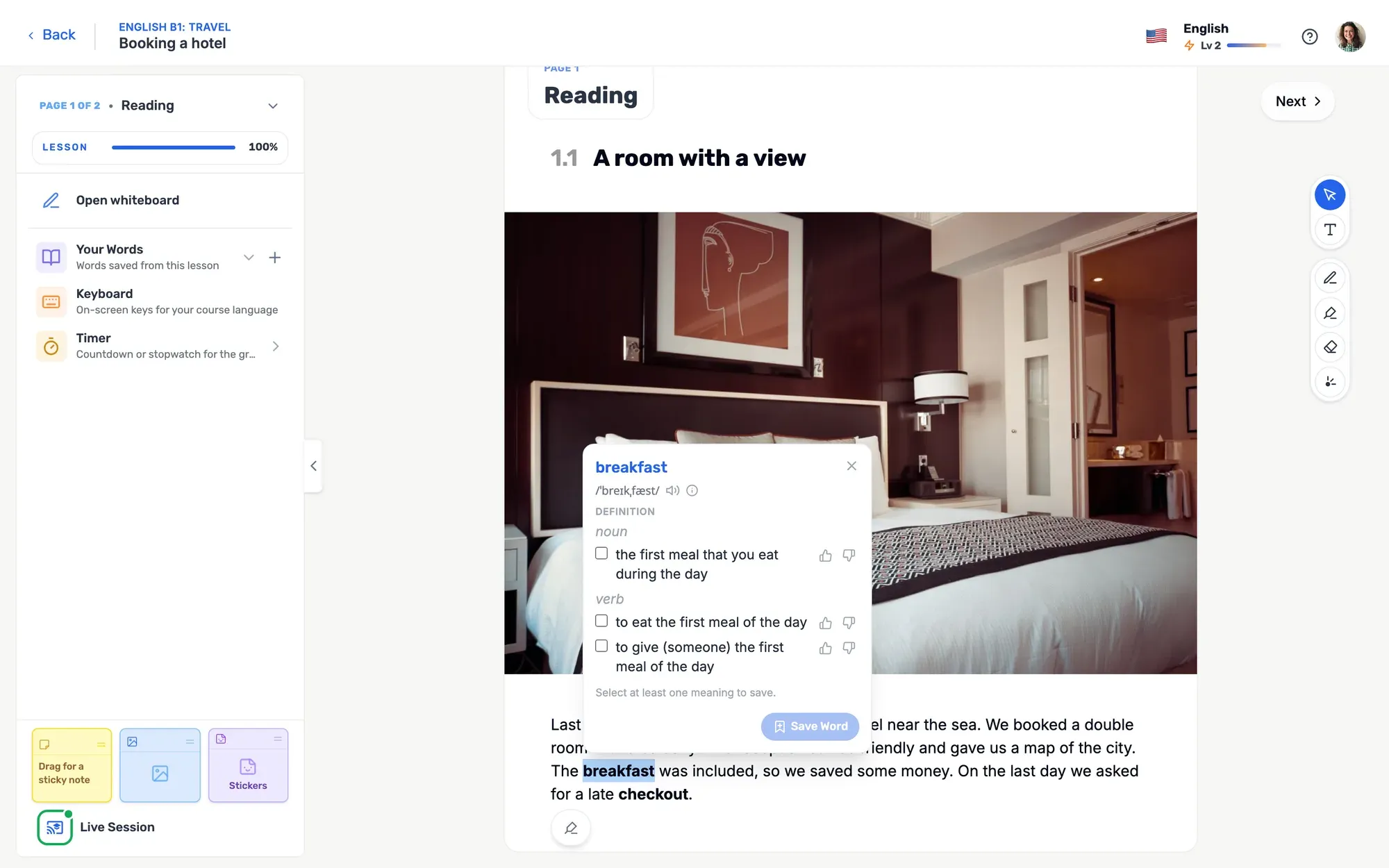
When a student highlights a word in a lesson, a popup opens with the translation, the phonetic transcription and learner’s definitions. The definitions come from our own in-house learner’s dictionary for A1 and A2 levels, so they are written in simple English that a beginner can read.
A highlighted word in the text opens a popup with translation, IPA and definitions.
Each definition has thumbs up and down buttons. If a definition is unclear or wrong, a flag from you or a student tells us which ones to improve.
Lookup currently works for English. The translation is also checked once by AI using the sentence the word sits in, and then saved, so the same word is not translated wrongly twice. Definitions are written in the language of the course, and Czech words are covered too.
Word forms get their own meanings
Students rarely meet a word in its dictionary form. They meet “booked”, “does”, “went”. A dictionary that shows every meaning of “book” for “booked” mixes in senses that have nothing to do with the sentence.
In verbios, highlighting a form shows only the meanings that form really has, and the pronunciation and audio belong to that exact form. The popup lets the student switch between the form and the base word, and choose which one to save. English pronunciation prefers American IPA and audio.
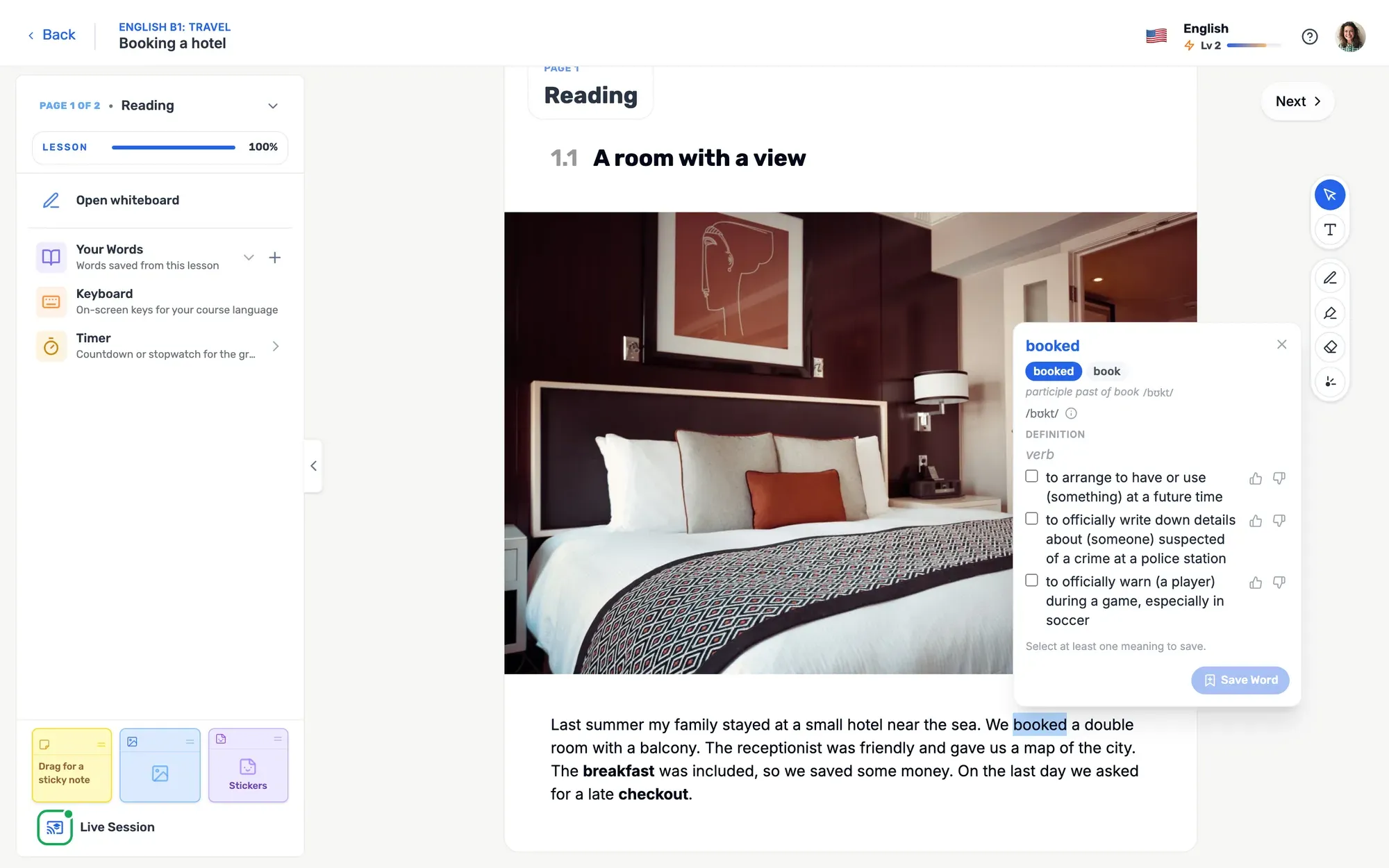 For the form 'booked' the popup shows the meanings of that form, with a switch to the base word 'book'.
All meanings start unchecked. The student ticks the one or two that fit this text and presses Save Word. That small step matters: a saved list of five senses per word is a list nobody revises.
Vocabulary blocks with separate fields
For the words you teach yourself, vocabulary blocks now have separate fields for translation, definition, phonetic transcription and pronunciation audio. A card can show a native-language gloss and a course-language definition side by side instead of forcing you to pick one. Saved words carry the same translation, transcription and audio, and suggestions appear as you type in the word-add form.
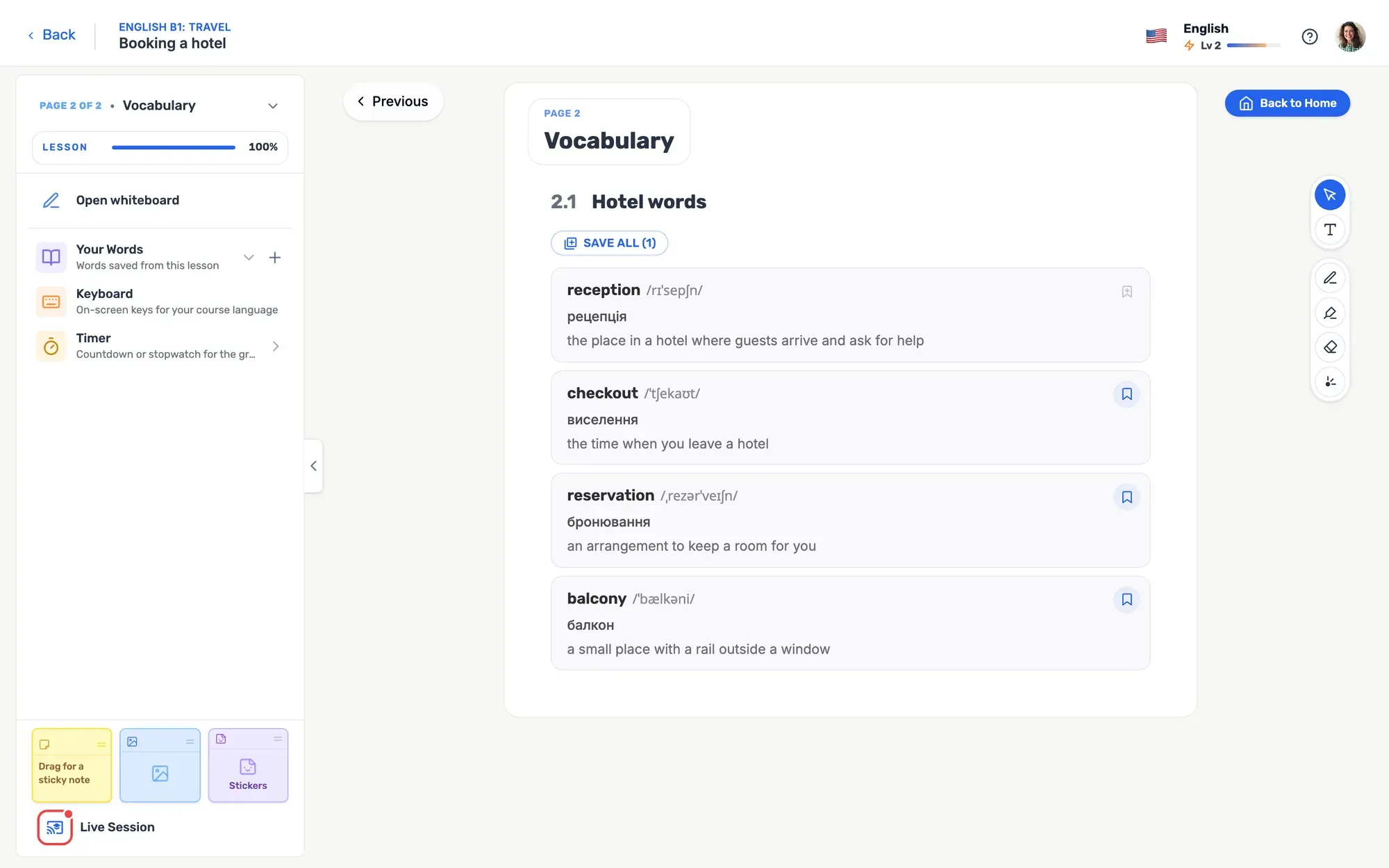 A vocabulary block: translation, definition and IPA next to each word.
A scenario
A B1 student reads a short text about booking a hotel. The line says “We booked a double room”. She highlights “booked”, sees that it is the past of “book” with the meaning “to arrange to have or use something at a future time”, ticks it and saves it. After the lesson those saved words are what she practices, instead of a screenshot of a translator.
If you want the method behind this, read our guide on teaching vocabulary so it sticks. For what happens to saved words afterwards, see word practice.
Try it with your next reading text. See pricing.
Frequently asked questions
Which languages does the dictionary lookup support?
Dictionary lookup currently supports English only, using our own learner's dictionary at A1 and A2 level. Word translations also cover Czech words.
Can a student save a word form like 'booked' or its base word 'book'?
Yes. In the popup the student chooses whether to save the form or the base word, and every meaning starts unchecked so they pick exactly what gets saved.