Online language school platform: CRM, pay and schedule
Three teachers, then five, then a shared spreadsheet that only one person understands. At some point a group of tutors stops being a group of tutors and becomes a school, and the tools for solo teaching start to creak: whose student is this, who is owed what for last month, why does the new teacher see everyone’s payments.
There is a school mode in verbios built for that stage. It is an online language school platform where the roster, the courses, the money and the schedule live in one account, with different views for admins and teachers.
One roster, shared courses, seats
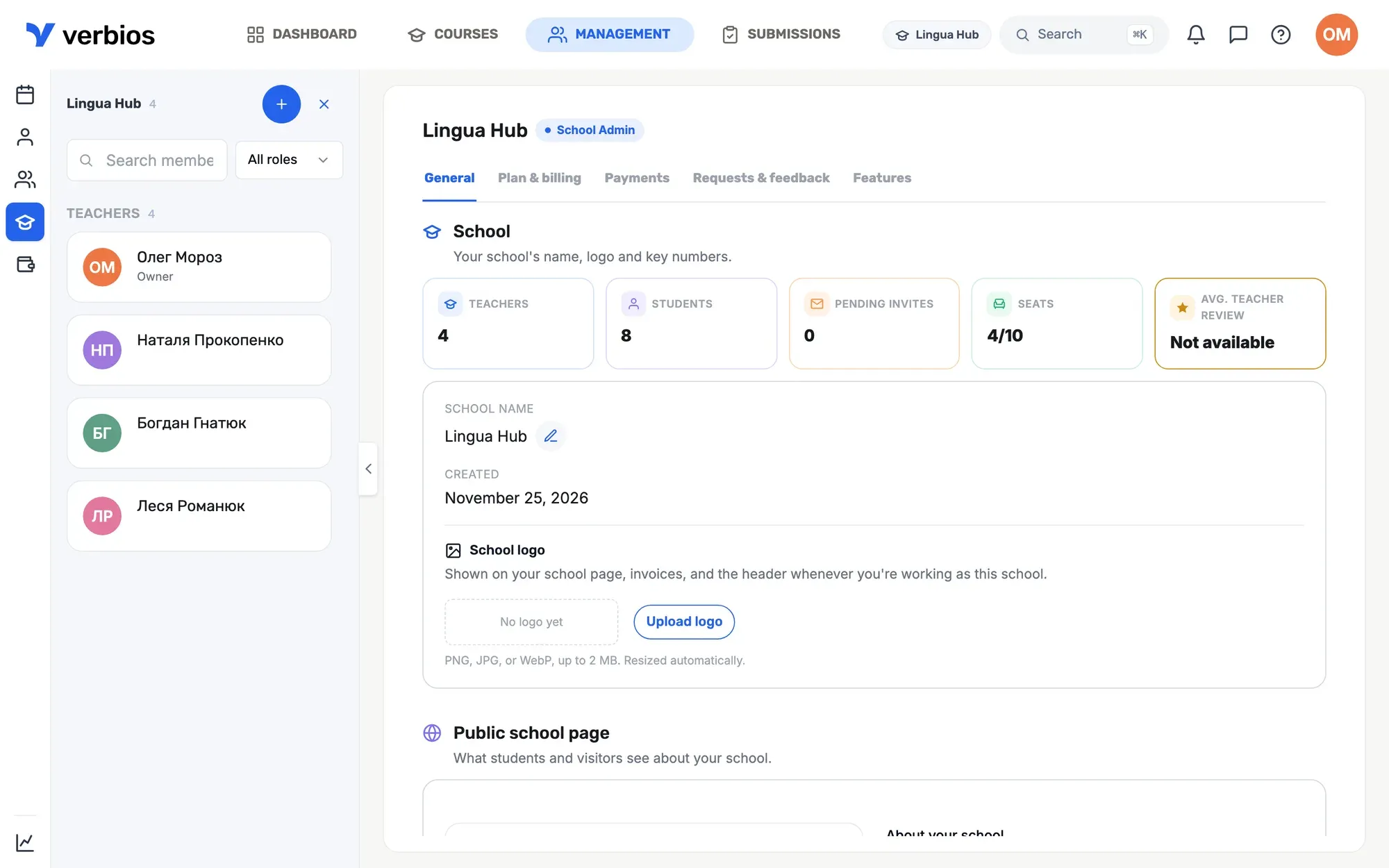
Everything starts on the People tab under Management. The school has one list of teachers and students, with counts at the top: teachers, students, pending invites and seats used (the screenshot shows 4 of 10). Admins invite members and students from there, and billing is seat-based, so the cost follows the size of the school instead of a flat guess.
The school overview: teachers, students, pending invites and seats.
Courses can live in the school library. An admin can edit every school course, and a teacher edits the ones they created. A teacher who needs to work on a course shared with them uses Duplicate to school library: the copy stays in the school and they can edit it.
School content also stays in the school. Lesson content can be copied and pasted only between school courses you can edit. Pasting it into a personal lesson, another school or another app is blocked, for admins as well. If you spent a year building a curriculum, it does not walk out with a departing teacher.
Each teacher has a school profile and hours
Inside a school, a teacher has a separate school teacher profile and weekly availability. Nothing from their personal profile shows up there, so a tutor who also teaches privately does not leak their private page into the school. The profile starts empty, and the teacher or an admin fills it in: headline, bio, languages they speak, what they teach. Each teacher also gets a public page under the school’s page, and an admin can choose whether that page is open and whether the teacher is listed on the school’s page.
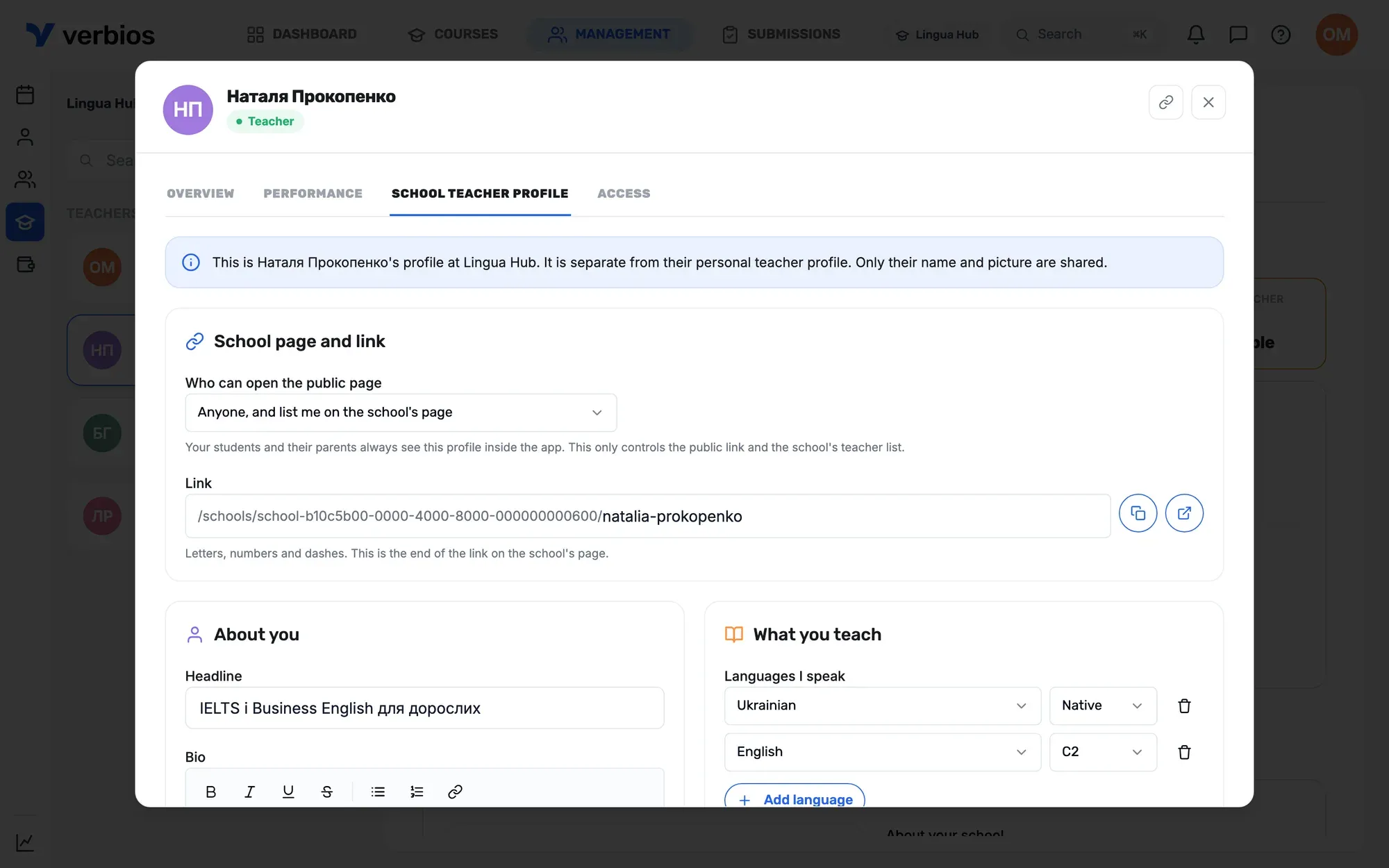 The school teacher profile is separate from the personal one.
Booking rules are set once for the whole school: whether requests are accepted, minimum notice, breaks between lessons, allowed start times, recurring lessons and availability hours. Students and parents are held to those rules when they ask for a lesson, so a teacher does not negotiate the same limits with every family. The school schedule can be viewed split by teacher.
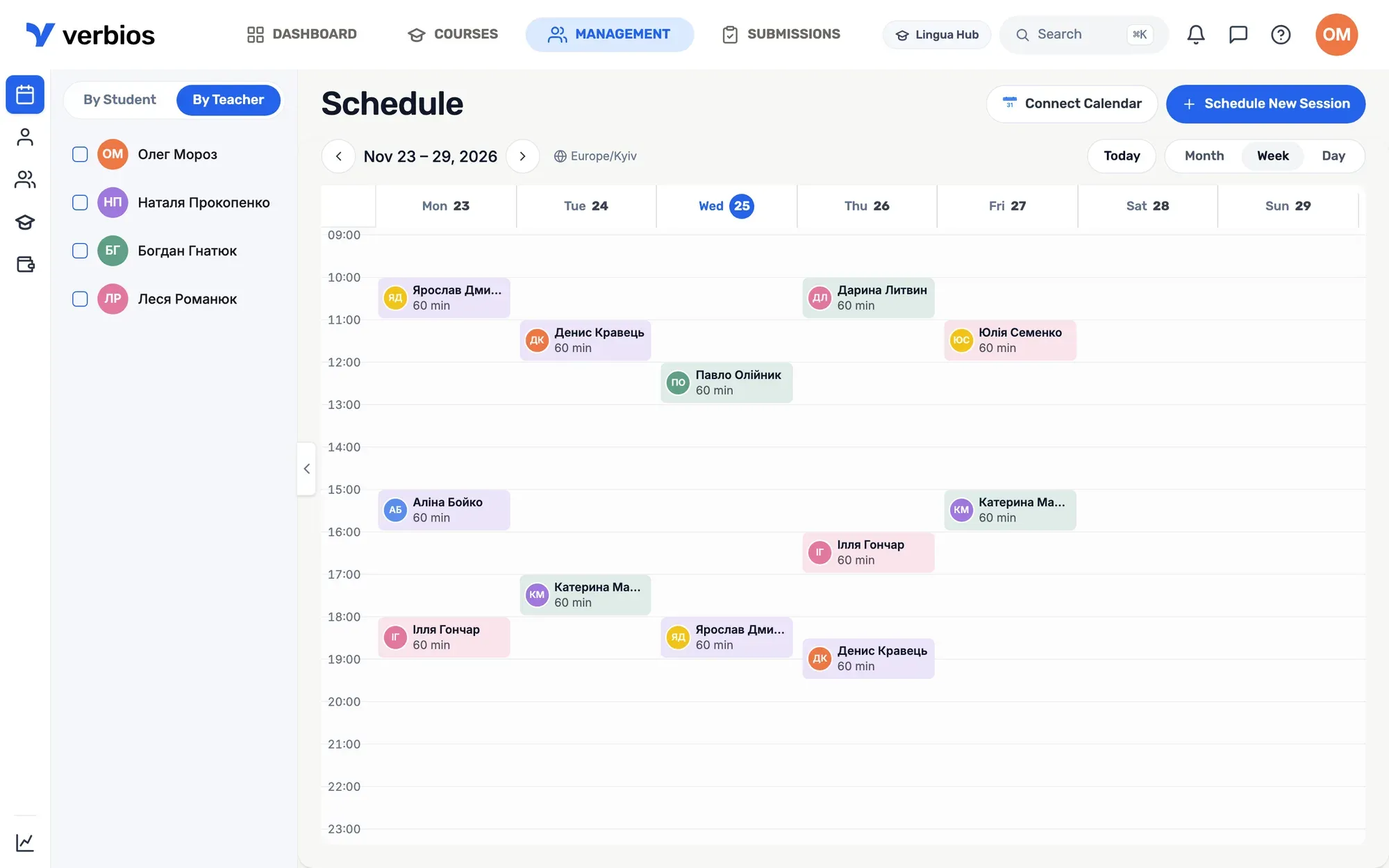 The school schedule by teacher.
Accounting, teacher pay and invoices
The school’s Accounting section has an overview (cash, accounts receivable, lessons owed, teacher payables, income, expenses), a general ledger, a chart of accounts, a Teacher Pay tab and Invoices. Recent student payments appear in the activity list, and you can add journal entries, income and expenses by hand.
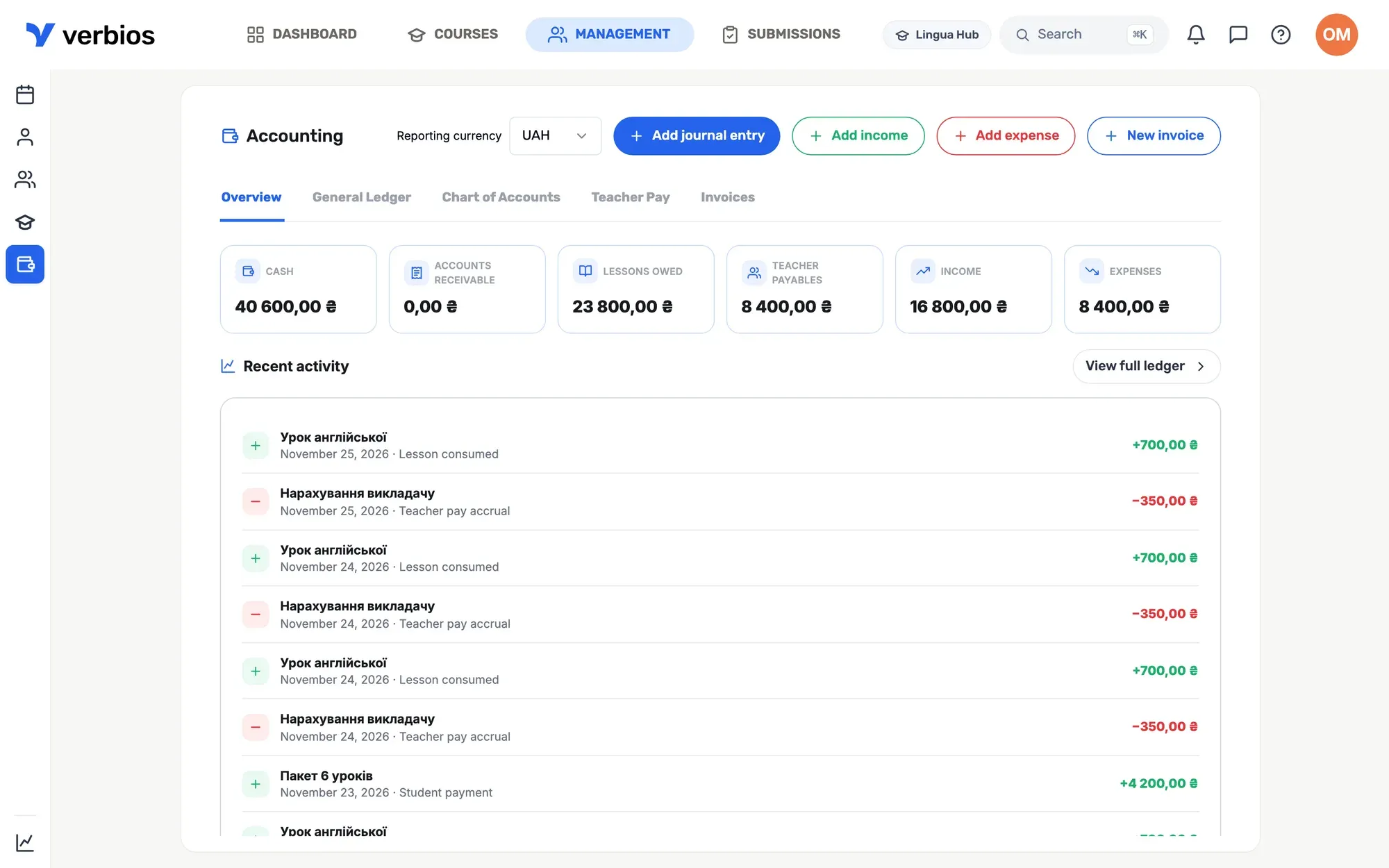 Accounting overview: cash, lessons owed, income, teacher payables and recent activity.
A few details matter for real schools:
- Several currencies. If the school teaches in more than one currency, income, expenses and net are broken out per currency instead of one blended total. Manual ledger entries let you pick the currency, and lesson credit balances are kept per currency, so a payment in a second currency cannot blend into another balance.
- Teacher pay. You set each teacher’s rate. Group lessons can have their own rate or percent, and a group lesson is paid once, not per student. Leave it blank and group lessons use the individual rate.
- Invoices. Issue invoices and download them as PDF. The school logo you upload appears on the school page and on invoices.
- What teachers see. The money card on a school teacher’s dashboard shows what they earned from the school, not what students paid. Payment tracking and reminders are hidden from them.
A month in a school of six teachers
Imagine a school with six teachers, mostly teaching English, with some students paying in hryvnias and a few families abroad paying in euros. On the first of the month the owner opens Accounting, switches the reporting currency, and sees what came in per currency instead of a number that quietly mixed two. Teacher Pay shows what each teacher is owed, and a teacher who teaches mostly groups is paid by the group rate. A new teacher joins, gets a profile, sets weekly hours, and the school’s booking rules apply to her from the first request. Nobody exports anything to a spreadsheet.
If your school sells time-limited programs on top of regular lessons, read about school marathons. Payments from students are tracked per teacher and per family in student payment tracking, and parents get their own login with parent accounts.
To see school mode with your own roster, look at the plans. School creation is available on eligible plans.
Frequently asked questions
Do teachers in a school see what students paid?
No. A teacher in a school sees what they earned from the school. Student payments, payment tracking and payment reminders stay with school admins, because that money belongs to the school.
Can a teacher copy school lessons into a personal course?
No. School lesson content can be pasted only into other school courses you can edit. Pasting into a personal lesson, another school or another app is blocked, for school admins too.
Can a school work in more than one currency?
Yes. Income, expenses and net are shown separately per currency, ledger entries take a currency, and lesson credit balances are tracked per currency.