A parent cabinet for online tutoring: reports, payments, schedule
When you tutor a child, you actually work for two people. The child needs the lesson, and the parent needs to know it is happening: when the next one is, how many are paid, whether the child came last week. Without a shared place, that all goes through your chat, one question at a time. A parent cabinet moves those questions out of your messages.
Invite a parent from the student’s settings
Open the student’s settings and invite their parent. Once the invitation is accepted, the parent gets a separate account with its own dashboard. A parent with several children, say two siblings who both study with you, switches between them in one tap, and verbios remembers which child they looked at last.
Three pages, no clutter
The cabinet has three pages: Home, Schedule and Payments.
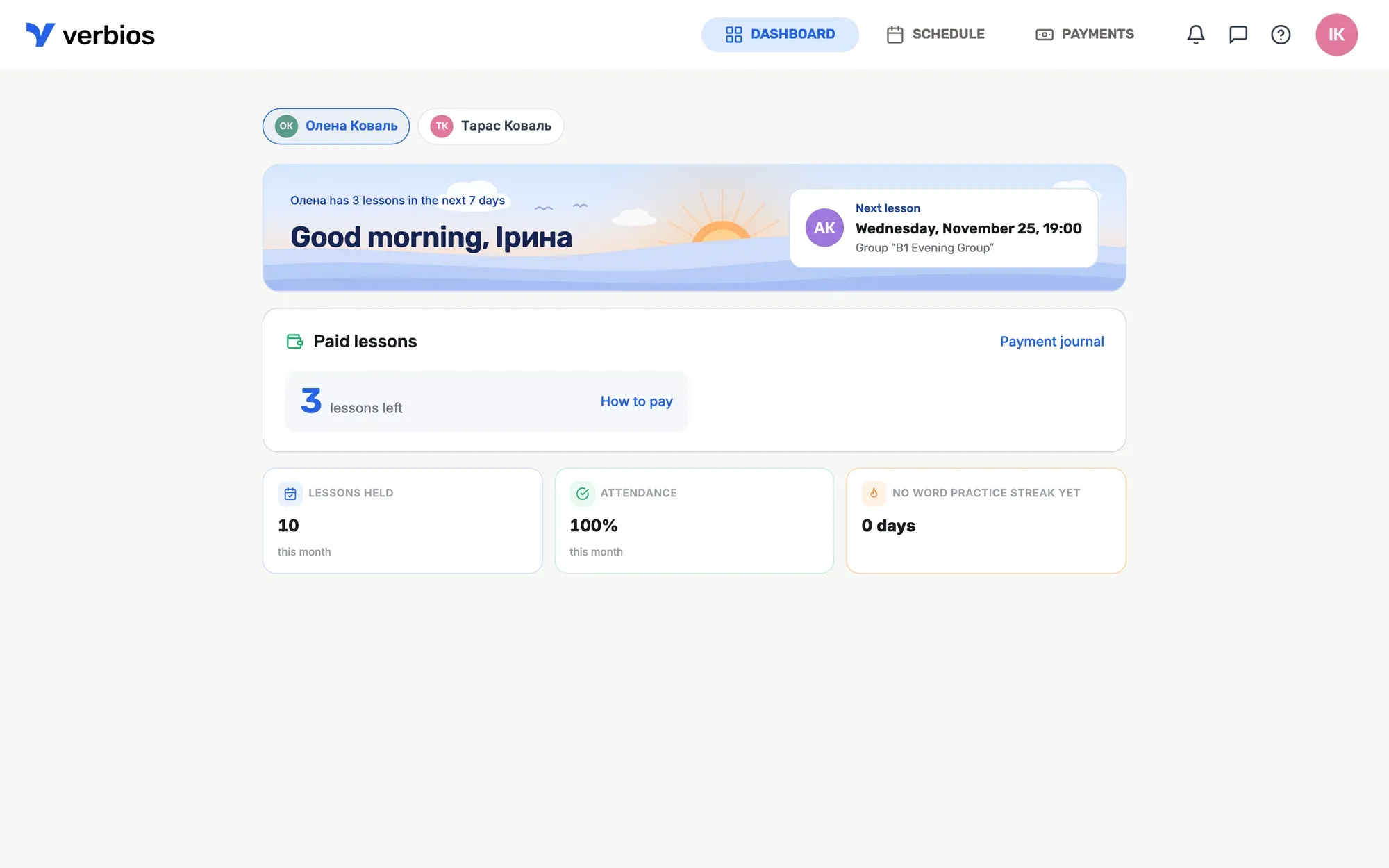
Home shows the next lesson, how many paid lessons are left with each teacher, and for the month: lessons held, attendance and the word practice streak.
Home: the next lesson, paid lessons left and the month at a glance.
Schedule has a month calendar, a teacher filter and every lesson with its status. A lesson opens in one popup where the parent can cancel, message the teacher or reschedule.
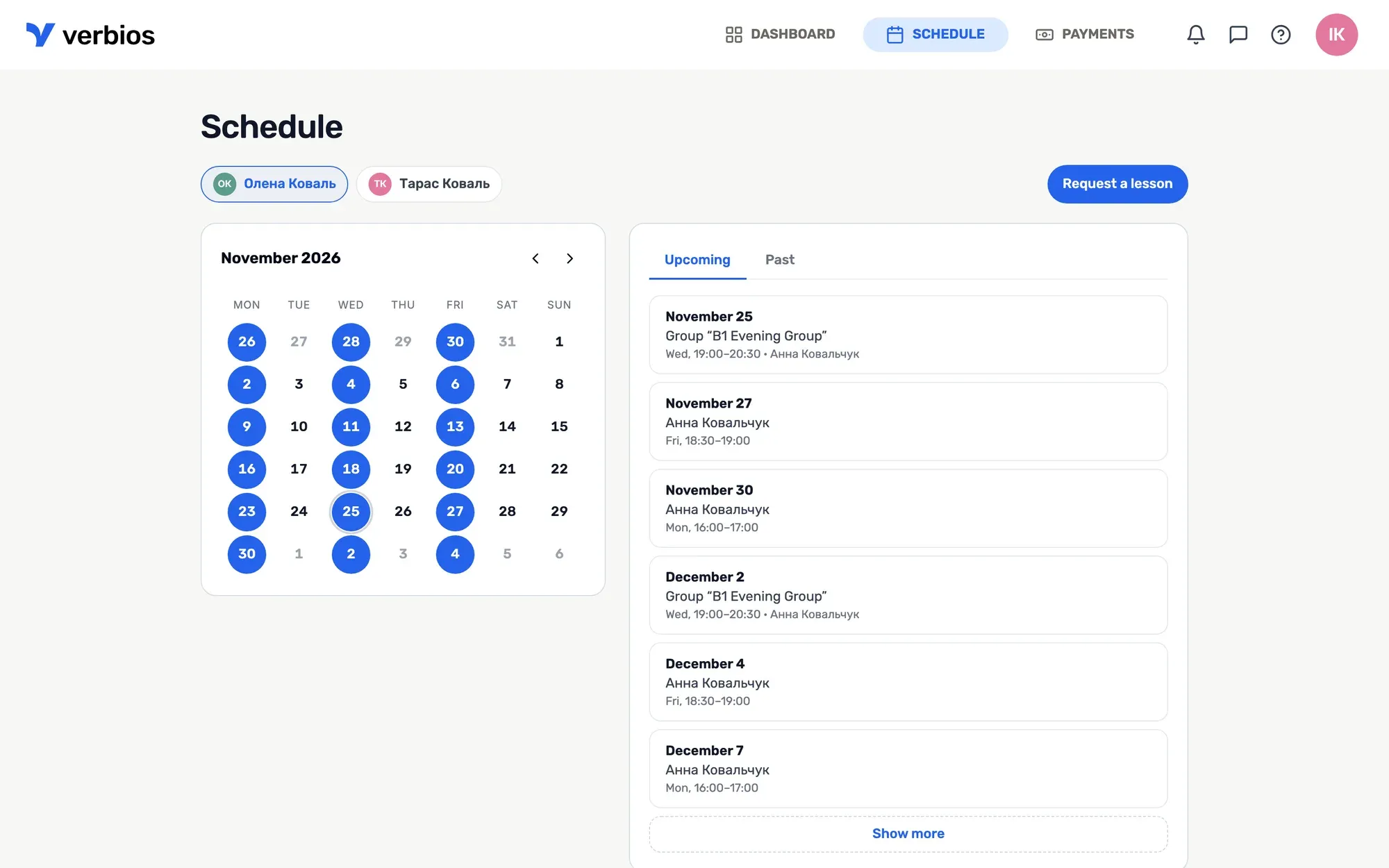 The schedule works like a student's, for the selected child.
Payments shows the balance and a journal: payments, lessons taken, no-shows and reminders. The parent can check exactly why the balance is what it is.
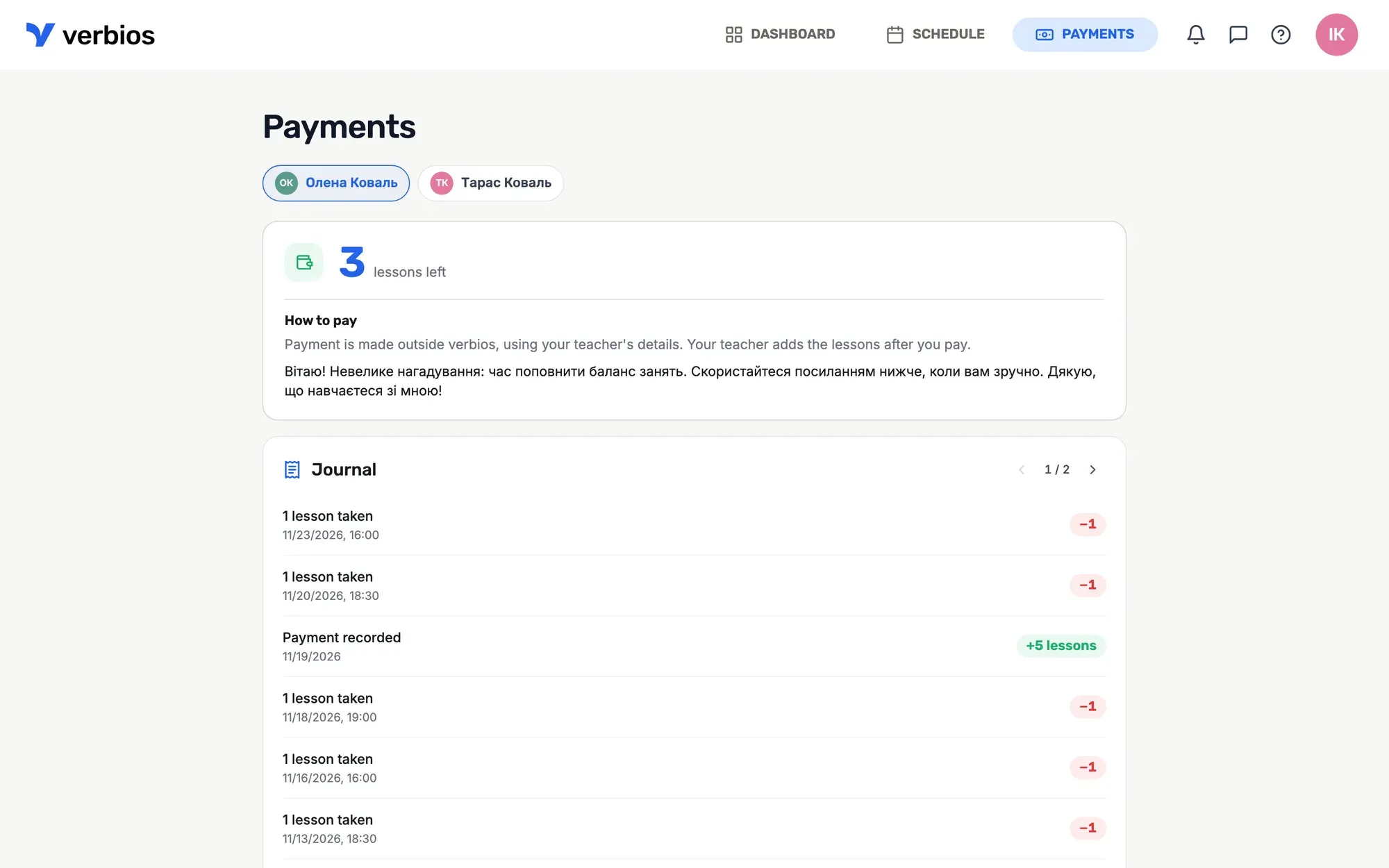 Every lesson taken and every payment appears in the journal.
The cabinet also works on a phone, which is where most parents will open it.
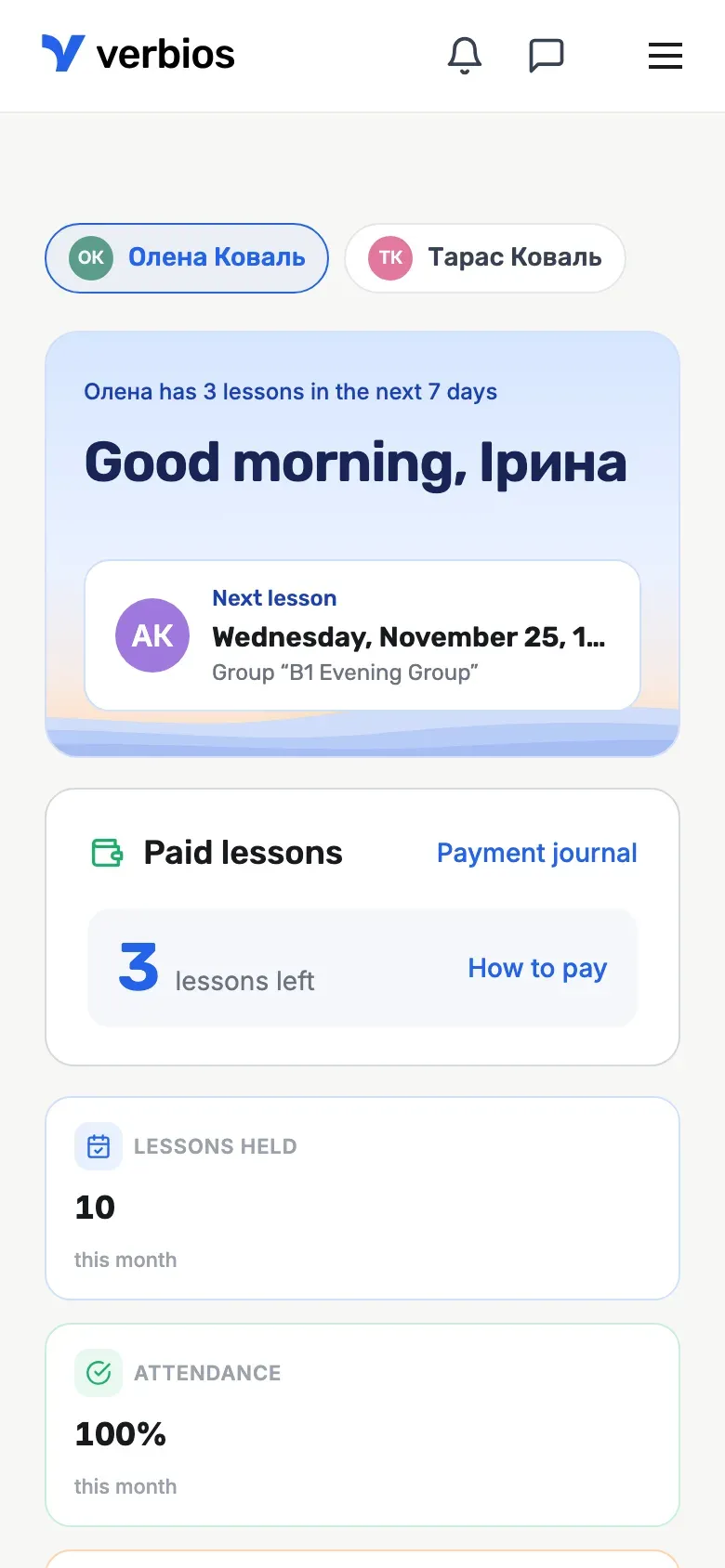 The same dashboard on a phone.
What the parent can do
Parents are not limited to reading. In the cabinet they can:
- ask a teacher for a new lesson for their child and withdraw the request while it waits
- cancel an upcoming one-to-one lesson, after seeing the teacher’s cancellation policy, including any late-cancellation charge (group lessons stay view-only)
- open a teacher’s page with their profile, prices, weekly availability and cancellation policy, then request a lesson or message them
- pay for lessons: each child shows paid lessons left per teacher, and the Pay button opens the teacher’s lesson packs, with the lessons landing on the child’s balance
For children who learn through a school, lessons are booked and canceled through the school. Your student gets a note whenever a parent requests or cancels for them, and the parent is told when you cancel or move a lesson. The parent also gets a notification if the child does not come to a lesson.
Reminders go to the right person
If a student has a parent linked, payment reminders and payment requests go to the parent, not the child. They arrive by email, in the parent’s bell and as a push notification, say which child they are about, and let the parent open the invoice. If the parent turned payment notifications off, that is respected. Students without a linked parent are unaffected.
Parents also get a read-only view of the chat between you and the child, plus their own separate chat with you. In the messages window their own chats are kept apart from the ones they can only read.
A normal Tuesday
A mother texts at 8 pm in the old setup: “Is Thursday still on? How many lessons are left?” With the cabinet she opens her phone, sees Thursday 19:00 and three lessons left, taps Pay when the balance runs low and requests an extra lesson for the weekend. You approve or decline it as usual. You answered nothing, and she knows everything she needed.
To set this up alongside your calendar, see the teaching schedule and tracking student payments. The pricing page has the plans.
Frequently asked questions
Do parents see my students' homework and grades?
No. The parent cabinet shows completed and scheduled lessons, attendance, payments and schedule. Course progress, words learned, XP, streaks, badges and homework details are not shown to parents.
Who gets payment reminders when a parent is linked?
The parent. Reminders and payment requests go to the parent by email, in the notification bell and as a push notification, following the parent's own settings. The child is not emailed in their place.
What if a parent has two children?
They switch between children in the cabinet, and everything on the page follows the child they picked.