Recurring lessons and Google Calendar sync for tutors
Most tutors teach the same students at the same time every week. Anna has Andriy on Wednesdays at 5 p.m., a group on Thursday evenings, a kid on Saturday mornings. Entering each of those lessons again every Sunday is the kind of admin work that eats a free evening for no reason.
Schedule it once
Open the schedule and click the button to plan a lesson. Pick the date and time, choose a length (30, 45, 60 or 90 minutes are one tap away), select the student or a group, and set the repeat to weekly. Save, and the lesson is in your calendar for the coming weeks without you touching it again.
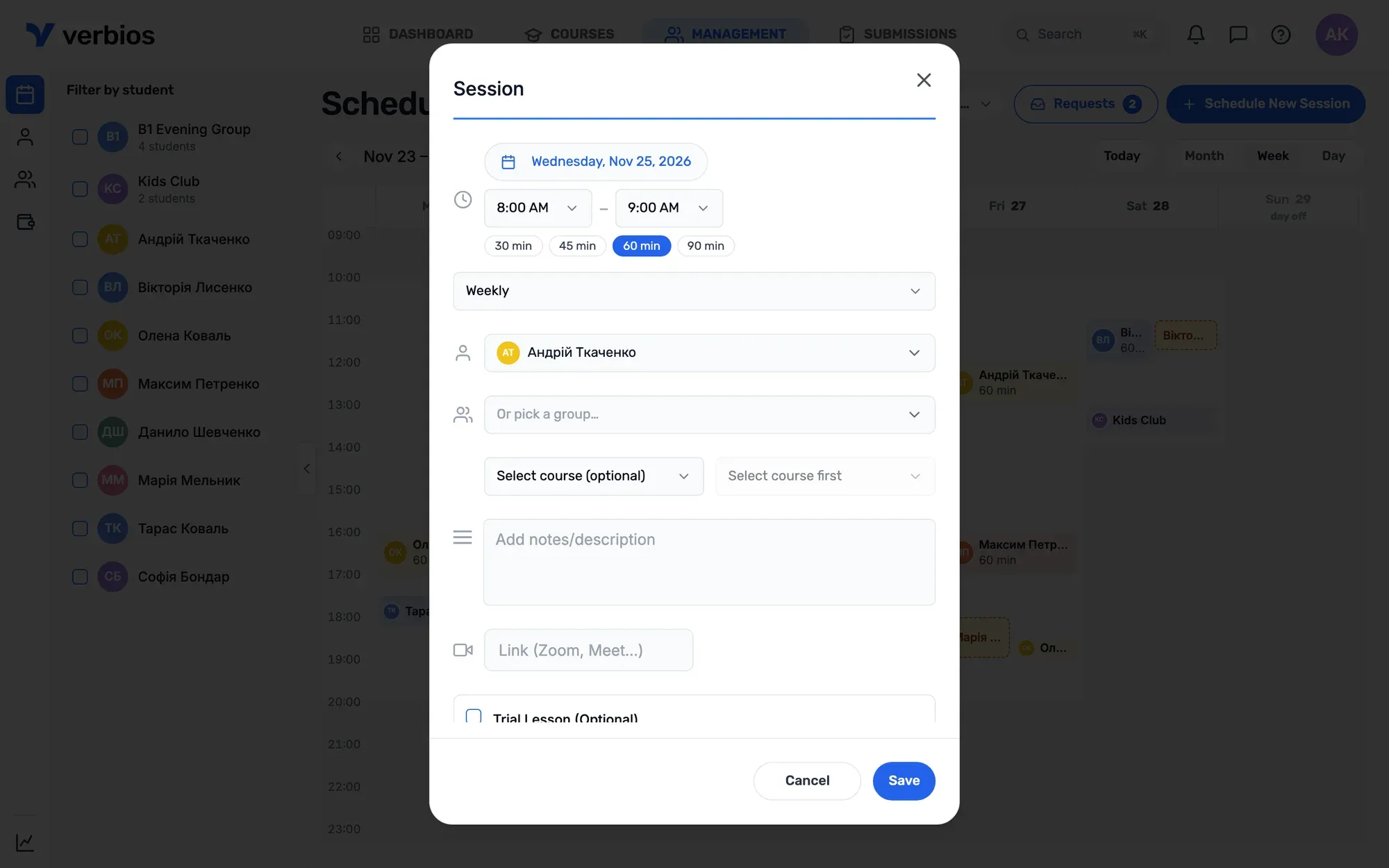 The new lesson dialog with the weekly repeat selected for a student.
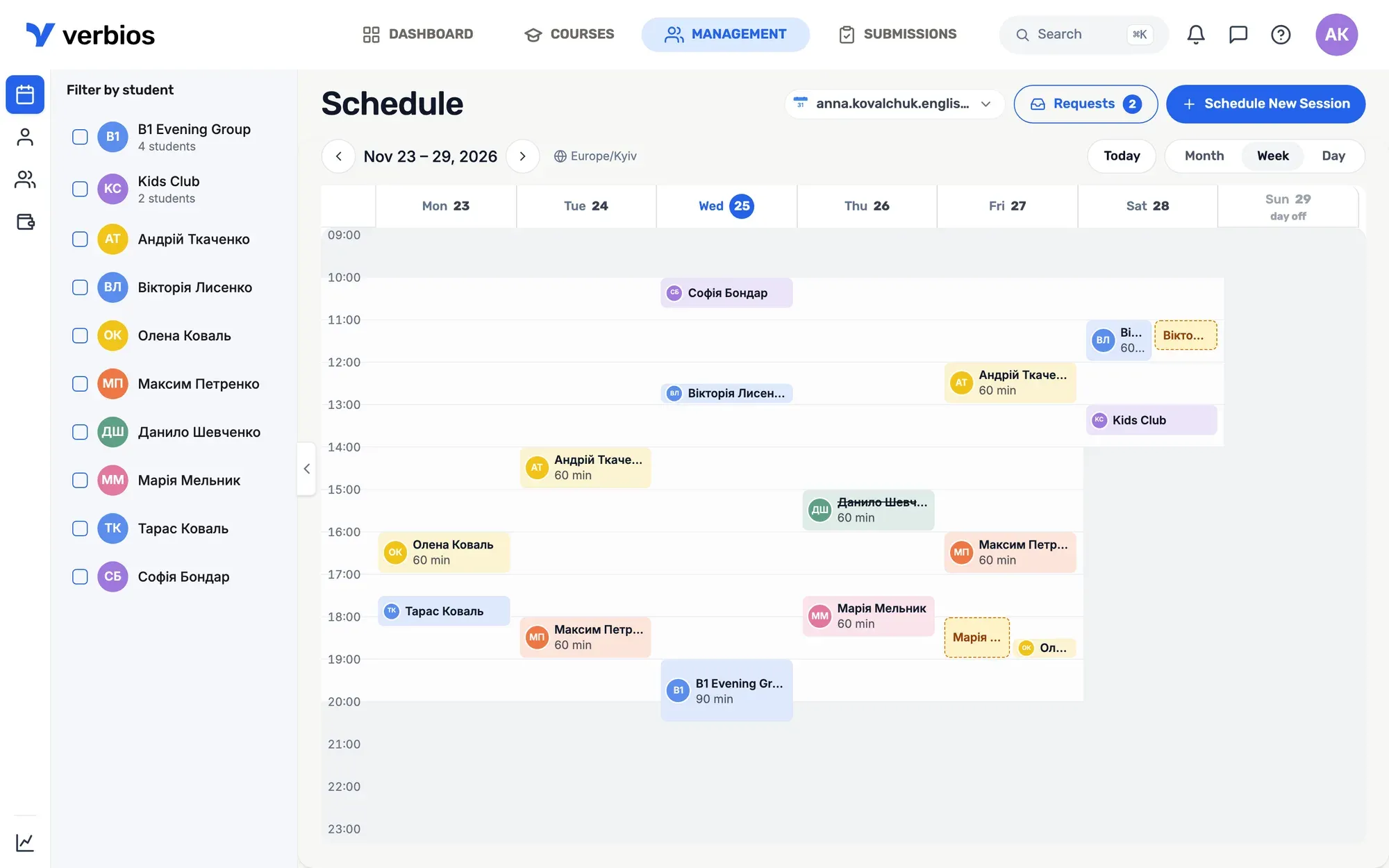
The same dialog lets you attach a course and lesson, add notes and paste a video call link, so the recurring slot already carries everything you need when it starts. Every student and group has their own color, so on the weekly grid you see at a glance who is next.
The week view: each student and group has a color, and the live line shows where you are in the day.
Weekdays stay where you put them
Recurring lessons have one job: stay on the day you chose. In autumn 2026 we fixed a bug where, in some time zones, a weekly lesson could also appear on the day before in the weeks after the clocks changed (a Monday lesson showing up on Sunday as well), and “weekdays only” lessons could land on Tuesday to Saturday. Recurring lessons now always keep the weekday you picked, and lessons that were affected were moved back to the right day. If your students live in a different country than you do, this is exactly the kind of thing you do not want to notice from a confused message at 8 a.m.
Google Calendar, in both directions
If your life lives in Google Calendar, the verbios schedule can live there too. Connect your Google account under the integrations settings and the schedule is synced two-way with Google Calendar: lessons you plan in verbios show up in your calendar, and your calendar stays the one place you check from your phone.
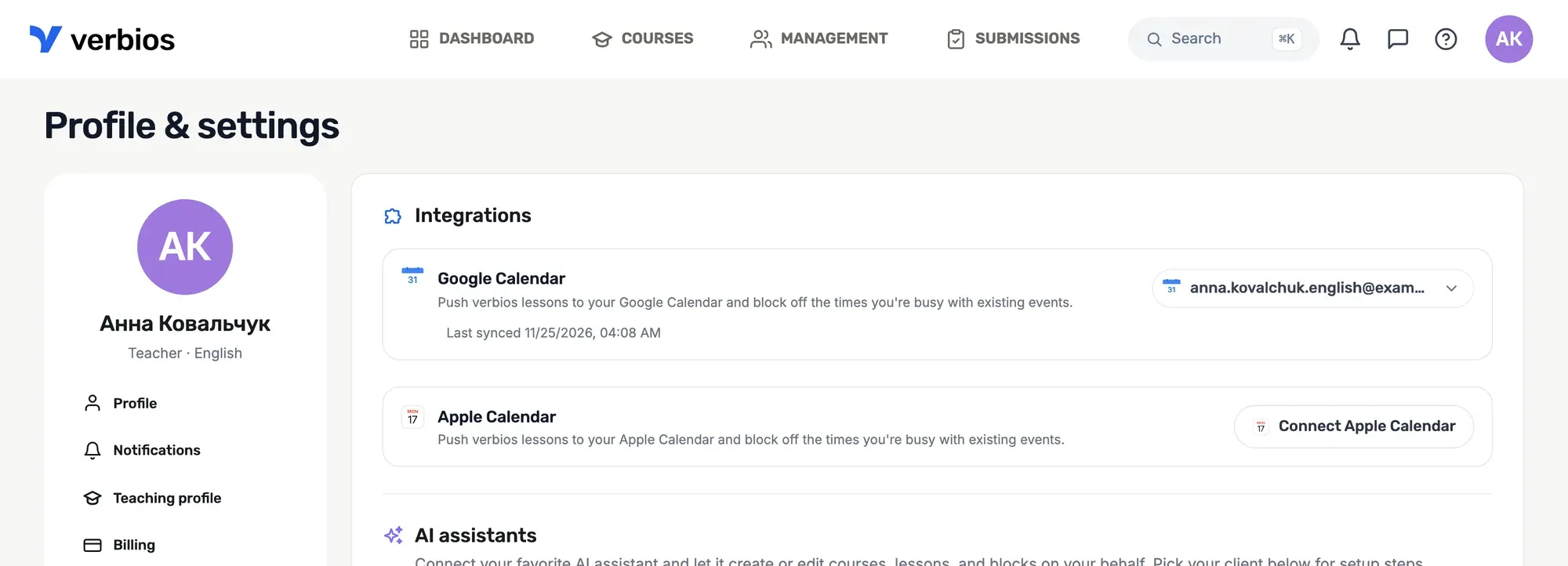 Integrations settings with Google Calendar connected.
It works the other way too. Busy time from Google Calendar appears on the verbios schedule as gray blocks, so you do not offer a student a slot that collides with a dentist appointment or another job. Your schedule always displays in the time zone from your profile, and verbios shows a note when your device is somewhere else, which helps when you travel.
A realistic week
Say you teach English online part time. In September you plan five lessons once: Andriy on Wednesdays, Olena on Mondays, Maksym on Fridays, a kids group on Saturdays and a B1 evening group on Wednesdays. After that, your Sunday routine is opening the week view and looking at it. When a student wants to skip a week, you change that one lesson. When someone new joins, you add one more weekly slot. Google Calendar shows the same picture on your phone, and your gym session is a gray block that nobody can book over.
Recurring lessons also connect to the rest of verbios: the lesson in the slot opens as a live lesson, with the course, the whiteboard and the video link. If you also want students to book free slots themselves, read about online booking and the teaching schedule, and about tracking who has paid for the lessons you teach.
Set up your first weekly lesson on verbios and see how short the Sunday planning gets. Starter has a 7-day free trial.
Frequently asked questions
Can I schedule a lesson that repeats every week?
Yes. In the new lesson dialog, choose the weekly repeat option, pick the student or group and save. The lesson keeps appearing on the same weekday.
Does the verbios schedule sync with Google Calendar?
Yes. You connect your Google account in the integrations settings, and the schedule is synced two-way with Google Calendar. Busy time from Google Calendar also shows on your schedule as gray blocks.
Will a weekly lesson move to another day when the clocks change?
It should not. Recurring lessons stay on the weekday you picked, including after the clocks change. A bug that caused lessons to jump to the previous day in some time zones was fixed in October 2026.